T-NEX Compliance
From uploading a regulation to issuing an audit report: T-NEX Compliance connects requirements, assessment, remediation and progress monitoring.
Learn more
Document processing in T-NEX Compliance breaks regulations and internal policies down into individual clauses. Your team checks the extracted content against the original and derives requirements from it. The source remains linked throughout subsequent work.
From clause tree to source comparison: derive requirements from a regulation step by step.
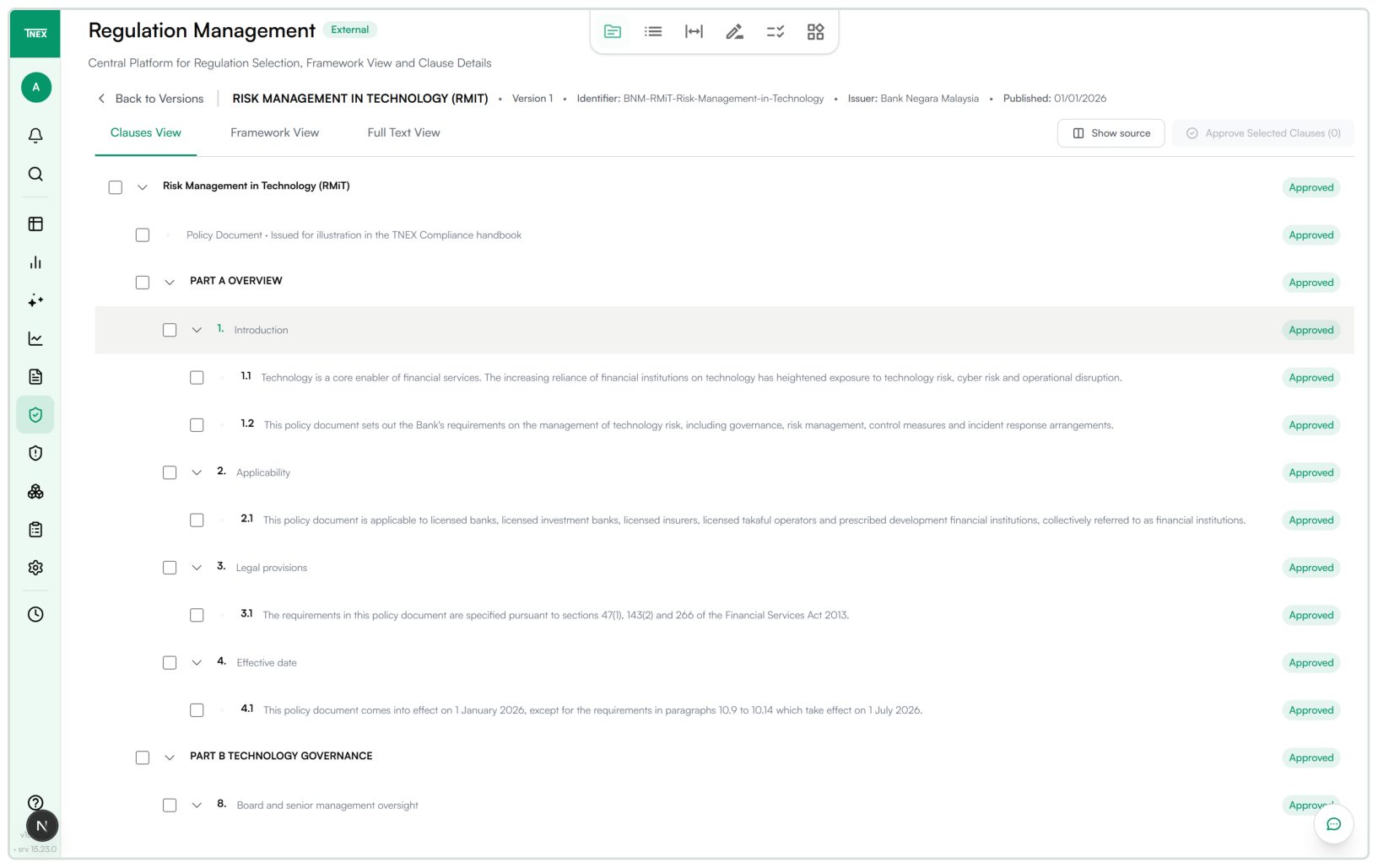
The detected document structure appears as a clause tree. Individual sections can be reviewed and selected for approval.
Reviewed clause structure with row-level status
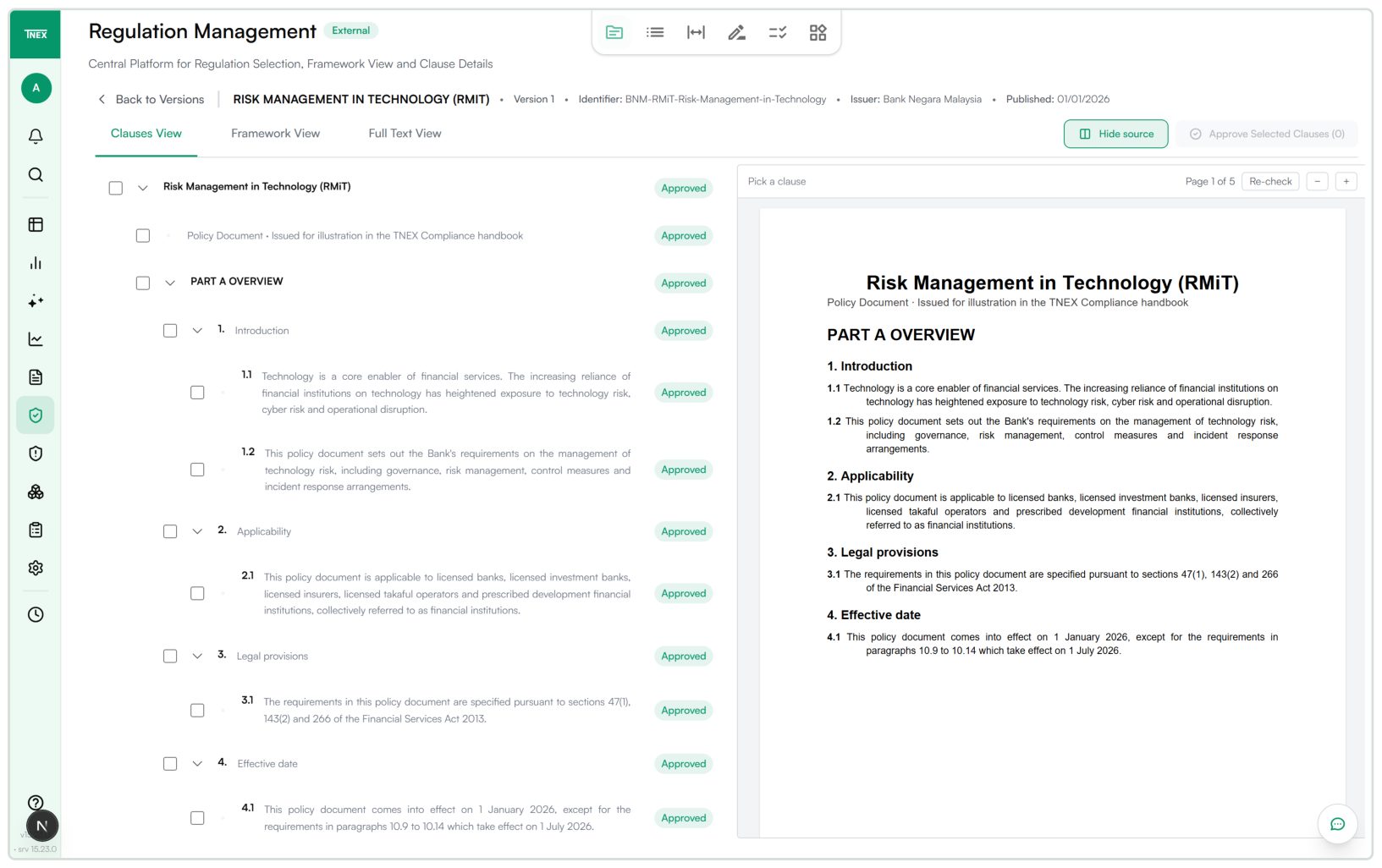
Enlarge viewExtracted text and the original document appear side by side, so expert review can happen directly against the relevant source passage.
Clause and corresponding original location side by side
 Enlarge view
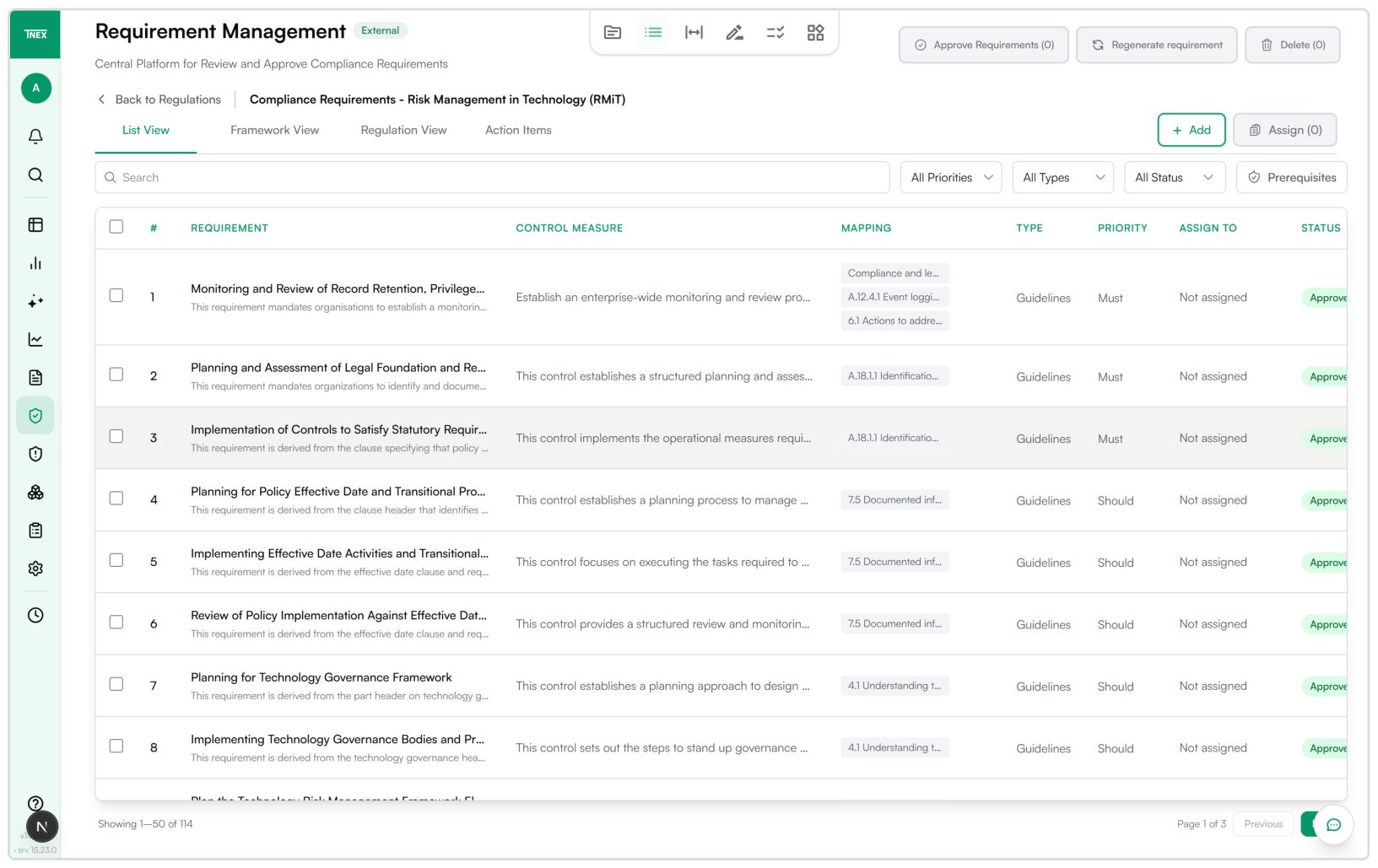
Confirmed clauses become a reviewable requirement set. Controls, mappings and approval status remain visible.
Approved requirement set linked to sources and controls
 Enlarge view
For compliance editors and business owners turning regulatory provisions into reviewable requirements.
Document processing in T-NEX Compliance starts with clear identification. A document receives a title, identifier, publisher, publication date and business area. It can be uploaded manually or obtained from a configured source.
Each edition is maintained as a separate version. Clauses and subsequent requirements refer to that version. Updating a document does not simply replace its earlier text; existing references remain associated with the previous edition.
A new edition receives its own version and associated clauses.
Sections and subsections are displayed in their hierarchy.
The source view shows extracted content beside the document.
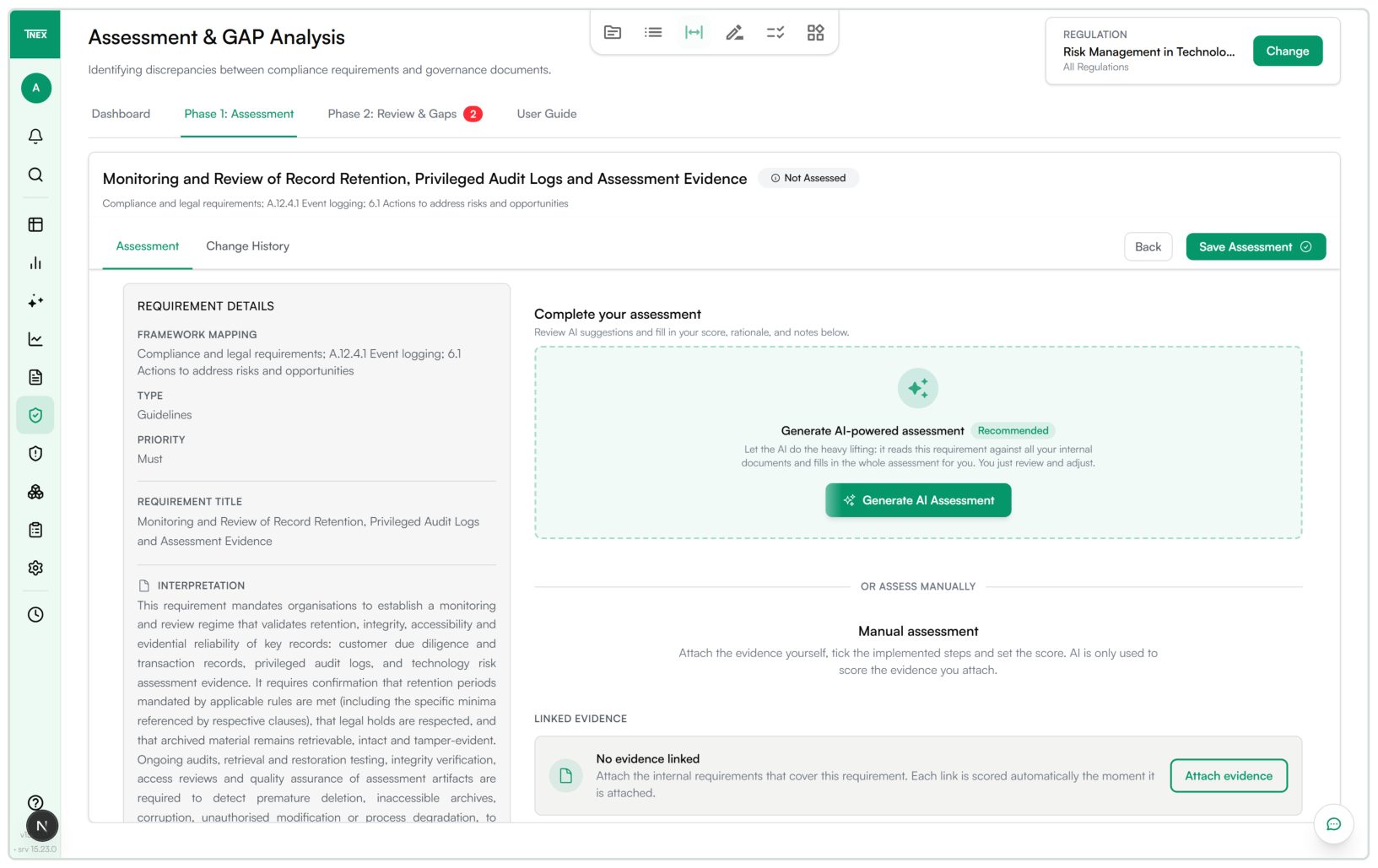
Derived requirements carry source references and receive business review before assessment.
The clause tree represents document parts, sections and subsections. Source view places recognised clauses beside the original. Selecting a clause can lead to its corresponding location; zoom and page navigation support comparison.
Review covers completeness and hierarchy: is a section missing, have independent provisions been combined, and are tables or appendices represented usefully? These details determine whether the resulting requirement is precise enough for business review.
Confirmed clauses are used to derive requirements with a rationale and expected control measure. Business owners check whether the source reference is correct and whether a document, record or other evidence could establish fulfilment.
Requirements that are too broad can be regenerated or supplemented manually. Priority, type, owner and framework mapping structure subsequent work. External regulations and internal policies follow comparable processing steps but retain their different roles as benchmark and evidence.
A requirement can be mapped to a framework control. This makes requirements from different regulations that concern the same control area identifiable. List, regulation and framework views offer different perspectives on the same records.
Centrally maintained applicability attributes help tailor the working scope to the institution. Technical filtering does not replace a business decision. The rationale for treating a provision as inapplicable needs to remain understandable during later assessment.
The output is an approved requirements collection with document versions, source references, control measures and owners. It can be assessed against internal requirements in the Compliance module. Document processing supplies the structured foundation for that work.
For an initial run, we select a manageable regulation and a related internal policy. A business reference set helps identify missing clauses, incorrect mappings and overly broad requirements. The process is extended to further documents after that comparison.
Import a regulation and record its version.
Check clauses against the original.
Approve the confirmed clauses.
Derive and review requirements for each document.
This workflow is intended for regulations and internal control documents. It does not promise support for arbitrary invoices, identity documents or credit files.
The described workflow covers text-based regulations and internal control documents, such as policies and procedures. Recognisable structure and numbering provide the basis of the clause tree.
Requirement extraction is part of T-NEX Compliance. Processing invoices, identity documents or credit files is planned as a separate use case.
It allows recognised clauses to be checked against the actual edition. Errors in numbering, section boundaries or tables could otherwise carry into derived requirements.
Yes. Requirements can be supplemented manually or regenerated. Source reference, expected control, priority and ownership are checked before approval.
It remains available with its clauses and derived requirements. A new edition is registered as an additional version.
The next stage uses the confirmed clause collection. Approval of that document version is incomplete while clauses remain unapproved.
From uploading a regulation to issuing an audit report: T-NEX Compliance connects requirements, assessment, remediation and progress monitoring.
Learn moreFunctions, manual versions and assessment cases for T-NEX Controlling, Compliance, PPM and Fraud Detection, with an editable procurement overview.
Learn more
Connect approvals and recurring tasks in one application. T-NEX develops workflow solutions using existing platform components.
Explore serviceBring a concrete task. Together, we will define what the application needs to do.
See the document workflow in the Compliance module