An AI pilot with defined evaluation criteria
Evaluate one AI use case with T-NEX: limited scope, suitable data and agreed criteria for expansion or stopping.
Explore service
Describe in your own words the analysis your company needs. T-NEX Dynamic AI Reporting creates a dashboard from it based on the connected data. Your team edits charts, checks the results against known figures and shares analyses by role.
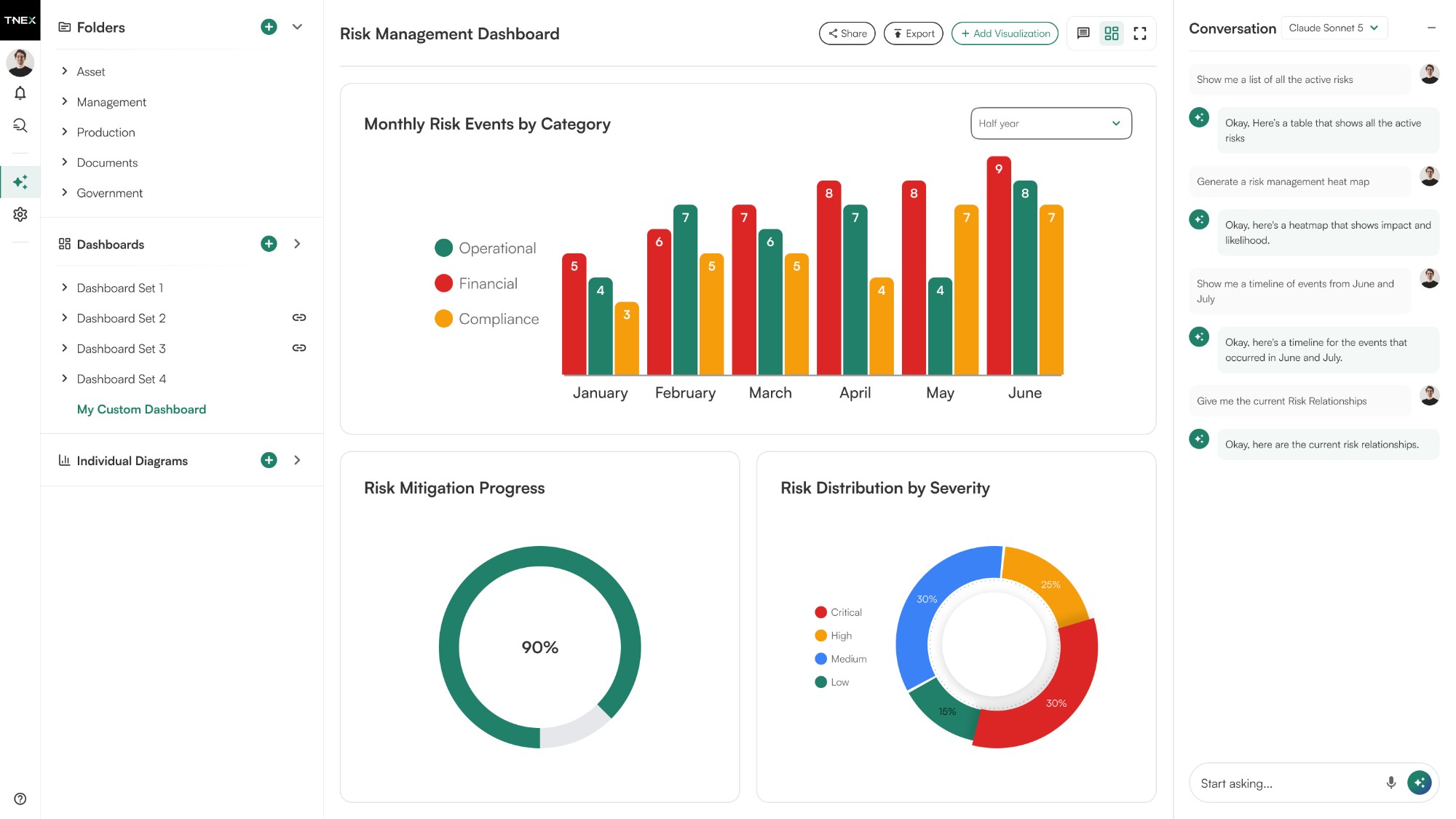
From a report to the next question: create analyses, review results and share dashboards with your team.
Every AI-generated answer becomes a complete, decision-ready dashboard with charts, tables, and variance flags, ready to export or refine with follow-up questions.
Turn analysis into a complete visual output that's ready to review and act on.
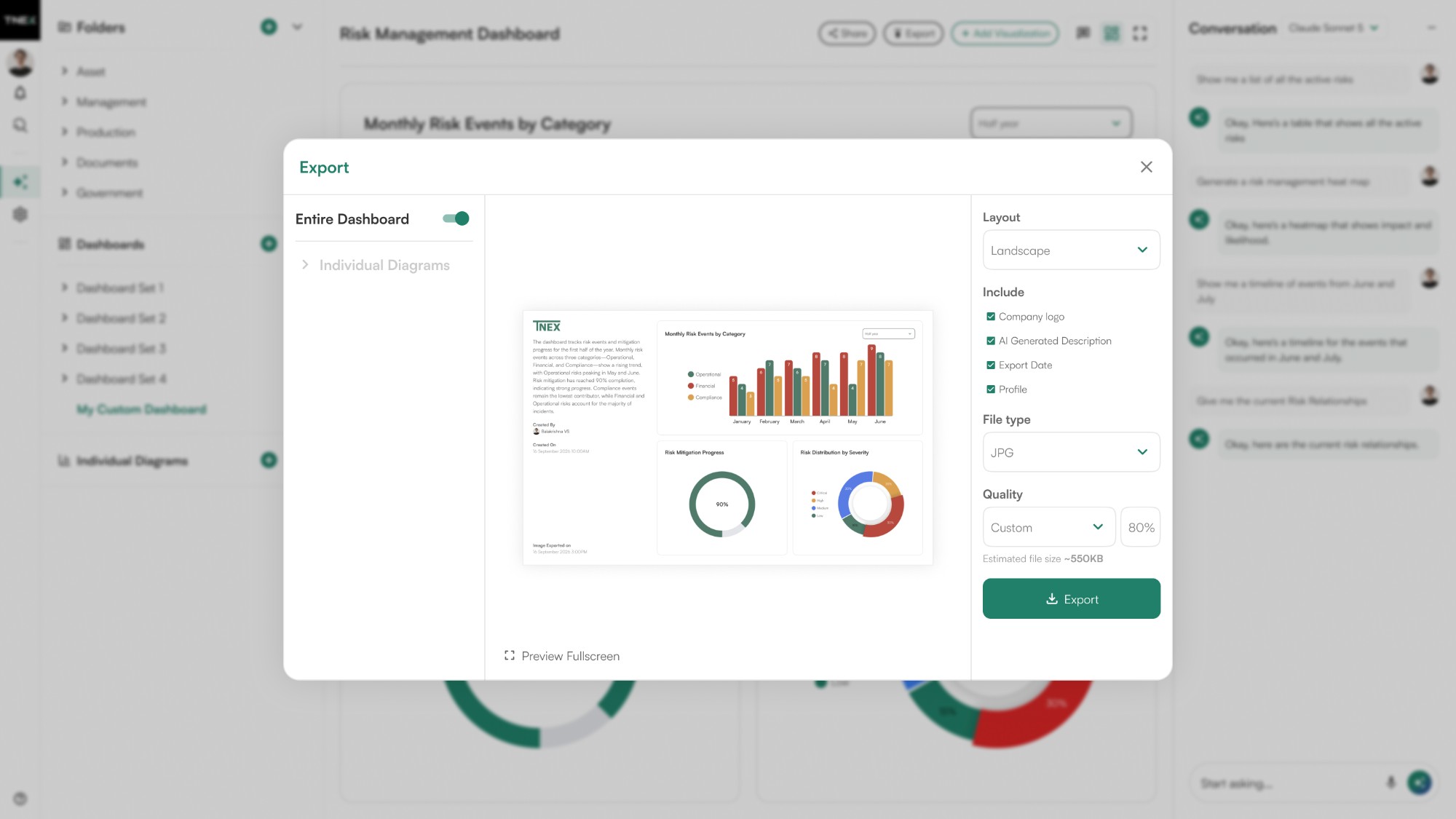
Enlarge viewExport the full dashboard or select individual charts, choose the format and quality, and download clean visuals ready for any presentation or report.
Take exactly the visuals you need and use them anywhere.
 Enlarge view
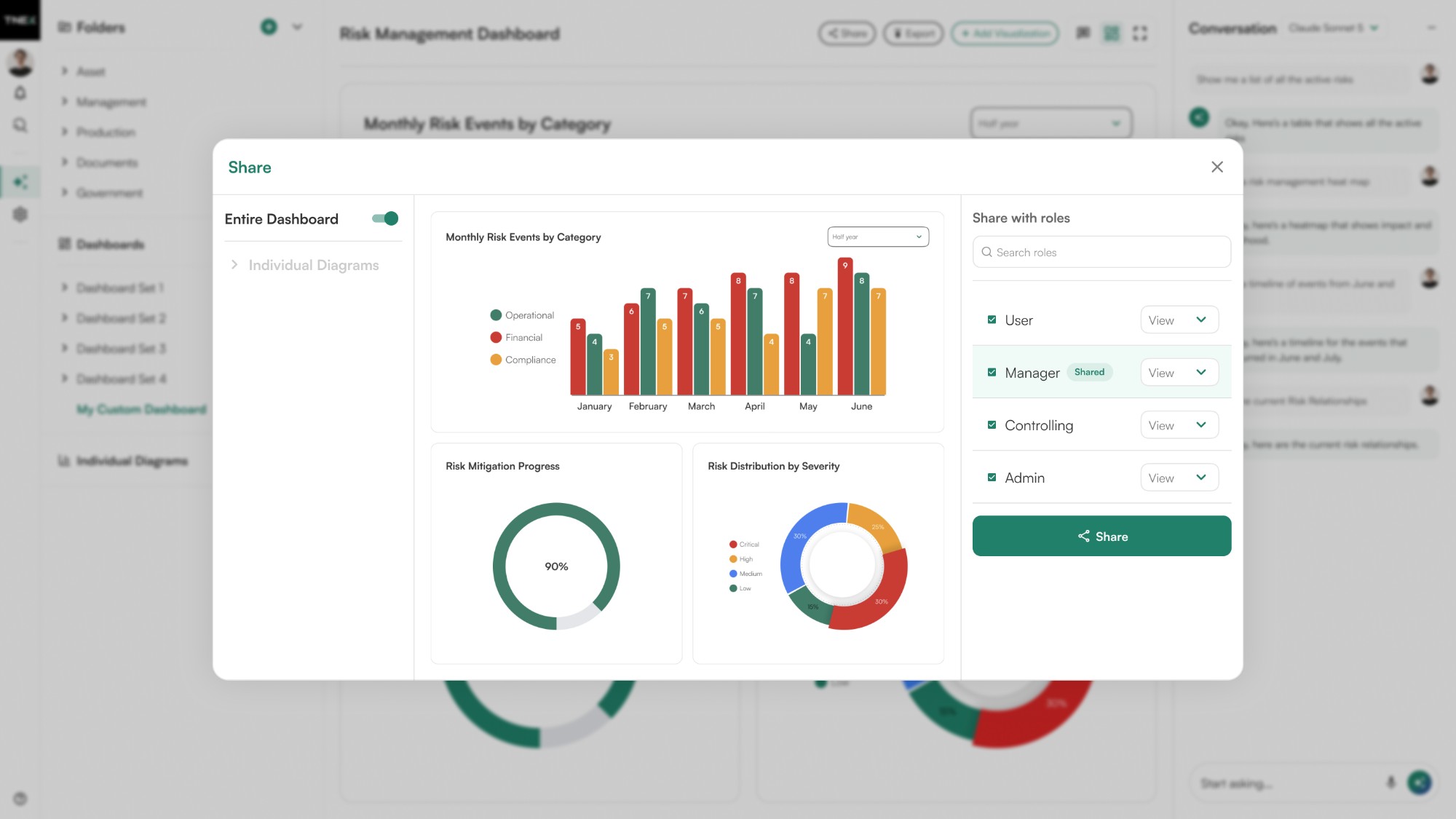
Share dashboards with the right people by role (Manager, Controlling, Admin) with view or edit access and control over which visualizations they can see.
Give every user the right level of access to the right information.
 Enlarge view
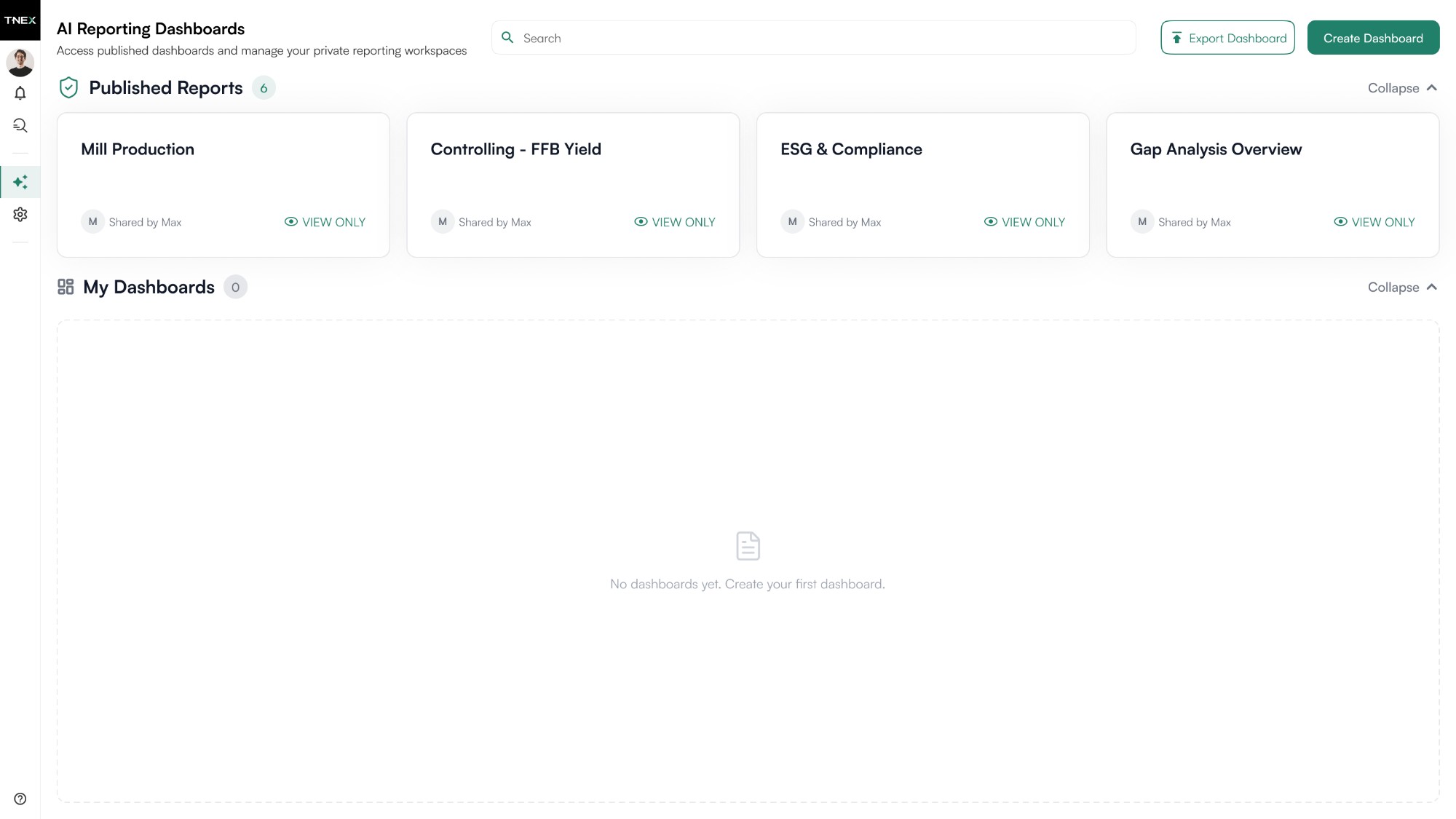
Publish your dashboard and turn every chart into a reusable visualization. Bring any chart into another dashboard, so great work is built once and reused everywhere.
Build visualizations once and make them available wherever they're needed.
 Enlarge view
For finance, management and business teams that create recurring analyses themselves and want to check how the figures were calculated.
T-NEX Dynamic AI Reporting translates a question into reporting logic. The generated application queries the connected data source and presents the result as charts, tables or metrics. Business users then develop the dashboard further through the conversation or the editor.
A first question might be: “Show the largest budget variances by cost centre for the selected quarter.” A follow-up narrows the period or adds a cost category. For the result to be right, the meaning of budget, value type and period must match your company’s data.
A natural-language question describes the analysis you need. The resulting dashboard can then be edited.
The editor lets you adjust a chart’s title, data source and dimensions.
Mixed, visualisation, text and focus views show the same analysis in different ways.
Folders group dashboards, while search finds charts by name, classification or description.
Viewing and editing are granted separately. A link can lead directly to an individual chart.
Export individual charts or the whole dashboard for use outside the application.
In the schema-only approach, the AI model receives structural information such as tables and fields and generates the reporting logic from it. The application accesses the records themselves. Creating a report and processing your business data can therefore be designed as separate steps.
If an AI model is to interpret specific amounts or individual records, a different information scope is needed. We agree with you, for each use case, which content may reach which model. A schema-only setup is not a blanket commitment for every analysis function.
The detail editor separates the data side from presentation. You can change titles, data sources, dimensions and display settings; a JSON editor supports advanced changes. Available visualisations include bars, lines, heatmaps, networks, process views, tables and metrics.
A chart can be attached as context to the next question. Annotations can mark a notable variance before the next meeting, so follow-up questions stay with the analysis they concern.
Mixed view places the chart beside the conversation. Full visualisation view concentrates on charts and tables, text view on the written analysis. Focus view opens a single chart for detailed work.
The presentation follows its purpose: a compact overview for management, a table for checking individual entries or an annotated chart for investigating causes.
Folders group dashboards by work area, such as cost centres, personnel or investment. Search finds visualisations by name, classification and description. Shared dashboards are a starting point for recurring questions.
Viewing and editing permissions are granted separately by role. A direct link leads to a single chart. Dashboards and individual charts can be exported as images or PDFs for presentations and use outside the application.
We first choose a reliable data source and a report with a clear business purpose, for example a recurring, clearly defined analysis. Together we define the metrics, dimensions, time basis and control totals. We then configure the data connection, roles and permitted model connections.
Acceptance compares generated analyses with known results, including empty datasets, incomplete sources and ambiguous questions. Only then is the report released to further roles, with responsibility for interpretation and approval clearly assigned.
| Connection | Scope and status | Preparation |
|---|---|---|
| Data source | Database and file sources are included in the architecture, for example a data warehouse, ERP or Excel. The application reads the approved source; the connection and refresh cycle are configured. | Schema, fields, period, control totals and a known reference report. |
| AI model | Schema-only creation uses structural information. Content-based analysis needs a separately defined data scope. | Permitted model connection and decisions on processed content. |
| Sharing | Image and PDF export; separate read and edit permissions. | Recipients, roles and required output format. |
Agree the data source and your company’s business terms.
Describe the required analysis as a question.
Check the query and visualisation against the source data.
Edit, share or export the dashboard.
A generated dashboard does not establish that your data is complete or that a business interpretation is correct. Before use, we agree with you which data source is connected and which content an AI model may process.
Recurring, clearly defined analyses such as budget variances, cost distributions or investment by organisational unit. An existing reference report makes it easier to check the first dashboard.
The architecture supports database and file sources, for example data from a data warehouse, ERP or Excel. We assess and configure the interface, data scope and permissions for your source.
Yes. You can edit its title, data source, dimensions and presentation. The conversation and the advanced editor provide further ways to refine it.
No. Access depends on the configured function. Schema-only creation uses structural information; permitted content and model connections are defined separately for content-based AI analysis.
No. Generation does not replace checking the data scope, metric definitions and calculations. We validate reference cases and agree who approves an analysis.
Within the application, through roles with separate viewing and editing permissions and direct chart links. Image and PDF exports support use outside the application.
Evaluate one AI use case with T-NEX: limited scope, suitable data and agreed criteria for expansion or stopping.
Explore service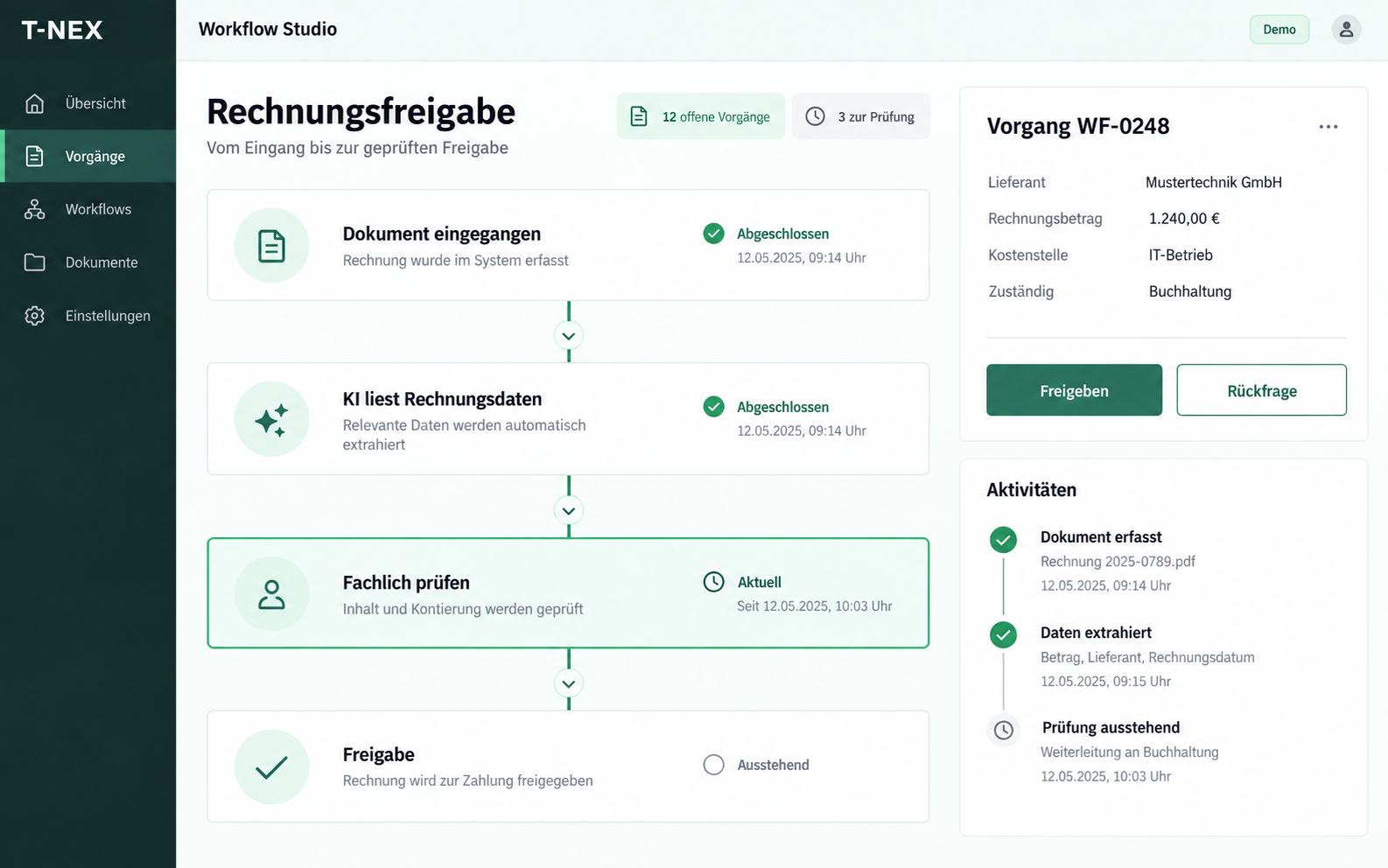
T-NEX develops custom workflows for requests and approvals, adapting existing components with suitable rules and evaluated AI steps.
Explore service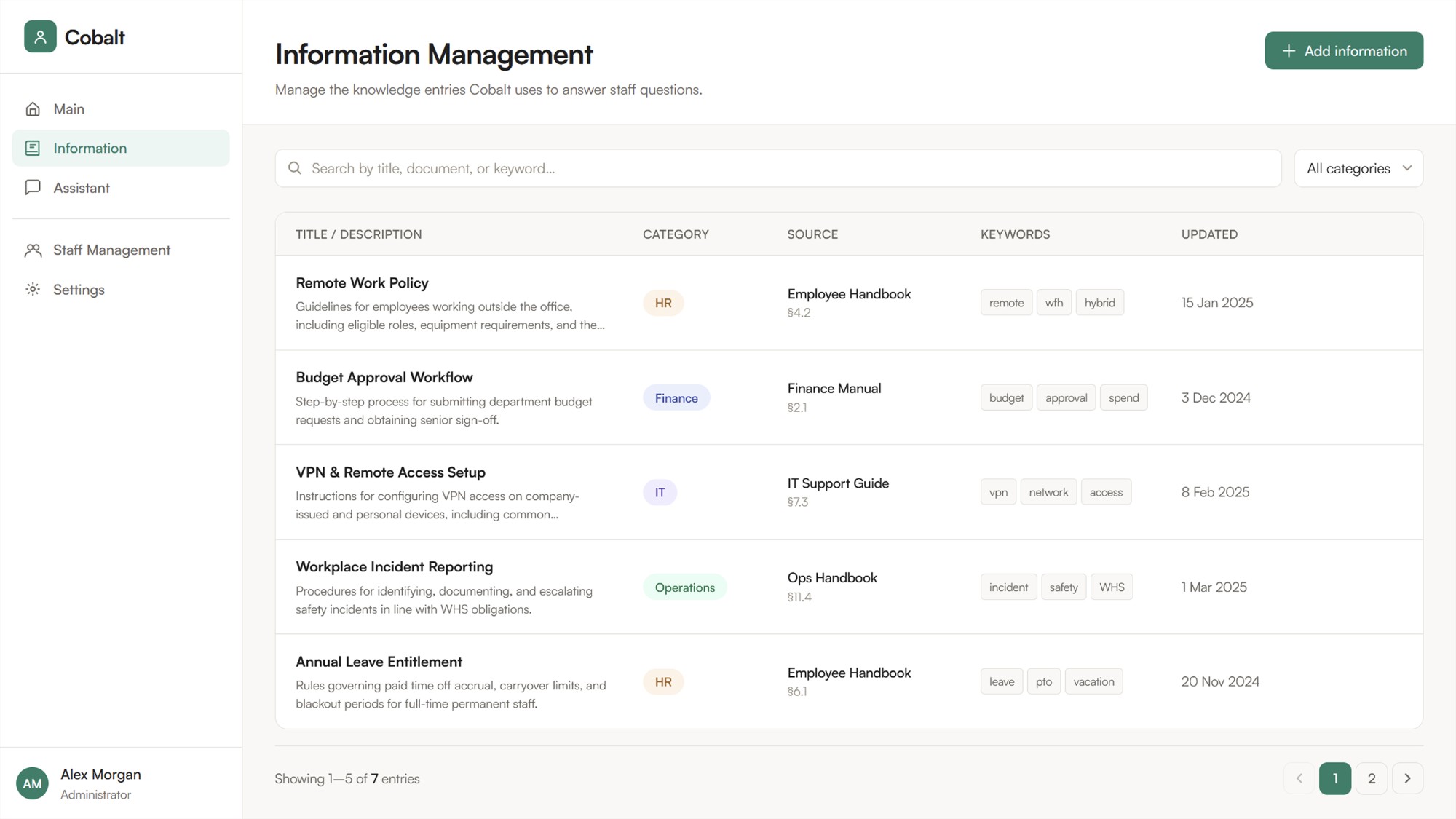
T-NEX designs and builds knowledge systems with source references, evaluating document search, RAG, knowledge graphs and maintained wikis against your questions.
Explore serviceT-NEX develops business applications and extends existing systems, from clickable prototypes and integrations to agreed handover and support.
Explore serviceEstablish contracting parties, data flows, model access and operating tasks for your application, with additional information on this website’s privacy.
Learn moreBring a concrete task. Together, we will define what the application needs to do.
Discuss a reporting case