German e-invoicing in 2027
Who must issue German e-invoices in 2027? The EUR 800,000 threshold, transitional rules, EDI, exceptions and practical steps for invoice intake.
First version: Updated:
Read article
Automating incoming invoices means connecting receipt, data checks, business approval and the handoff to accounting in one traceable process. Structured XML data can be read directly; scans and ordinary PDFs need an additional recognition step. Both routes need rules for discrepancies, duplicates and responsibility.
An invoice has reached the agreed process stage only when the required data and original document are complete. Measure completed invoices including corrections and follow-up work, not just extracted fields.
On DigiCast, 15 October 2025, Heiko Süthoff reported around 1,000 monthly invoices at Günter Terfehr Bautechniker. The first scope covered one supplier with about 100–200 invoices a month. Extraction and price matching were combined with human approval; special items needed clarification. These are interview figures, not T-NEX results.
For your own planning, choose a supplier with recurring invoices and maintained comparison data. First observe the actual work: where are prices looked up, which items remain unresolved and when is an invoice ready for accounting?
Create an intake point where invoices can be assigned to a record. This might be a shared mailbox connected to the existing document system. Keep the receipt time, sender and original file with a unique record identifier. If a message has several attachments, their relationship to the correct invoice must remain clear.
Distinguish structured e-invoices from ordinary PDFs and scans. The German Finance Ministry’s March 2026 FAQ explains that an e-invoice contains structured data suitable for electronic processing; an ordinary PDF does not meet that definition. For hybrid e-invoices, the structured component takes precedence if it differs from the visible representation.
The intake process should also detect repeated submissions. An invoice may arrive through a supplier portal and later by email. Define which attributes identify possible duplicates and when someone must review them. An identical filename alone is not a reliable basis for that decision.
Structured invoice data can be read directly and checked against the rules of the format used. A scan or unstructured PDF first requires recognition of text or fields. Text recognition and document AI can support this step. Both routes still need the same business checks during subsequent processing.
Start with the fields on which later work depends: supplier, invoice number, date, amounts and required line items. Make each extracted value available alongside its location in the document. Item numbers with leading zeros, decimal separators and different units deserve specific test cases. Staff should be able to correct a reading against the invoice without restarting the entire process.
Put calculations into rules that can be inspected. Define how totals, rounding and permitted differences are checked. Passing a format or arithmetic check does not establish that the invoiced work was ordered and performed. Missing or implausible details should trigger the next review.
| Finding | Check | Next action |
|---|---|---|
| Possible duplicate | Compare supplier, invoice number, amount and existing record | Confirm it or explain why it is a separate record |
| Price discrepancy | Use the valid price list, discount and unit of measure | Purchasing or the responsible specialist decides |
| Unknown item | Distinguish recognition errors from missing master data | Record the mapping and repeat matching |
| Missing supply reference | Check the order, delivery note or evidence of work | Request confirmation and keep approval pending |
| Rejected import | Check the destination error and transfer identifier | Correct the problem and retry without creating a duplicate |
Identify the records used for comparison: purchase order, delivery note, contract or approved price list with its period of validity. Items, quantities, units and discounts must correspond. For example, a price per pack cannot be compared with a price per item without conversion. Where a suitable reference is missing, the line stays unresolved.
The Terfehr account shows why master data forms part of implementation. Special purchases without an item number and stored price could not be matched reliably. The business clarified these cases with its supplier. For your own process, give unknown items a defined path to resolution instead of asking the system to guess the match.
Assign discrepancies to the person responsible. A site manager might confirm work performed, purchasing might clarify a price agreement and accounting might handle subsequent processing. The actual roles depend on the business. Keep decisions, corrections and approvals with the invoice. Absences and unanswered requests require a deputy or a follow-up mechanism.
Agree with accounting or your tax adviser which documents and data the receiving system needs. DATEV describes Rechnungsdatenservice 1.0 as a route for transferring structured document data and/or digital documents from connected partner applications. Setup depends on the partner software. Choose the route based on the applications and permissions actually in use.
A DATEV connection belongs in the project scope only when the specific transfer route, its prerequisites and responsibilities are agreed. This DATEV documentation does not establish an existing T-NEX connector, partnership or certification.
Use an approved invoice to check which data arrives, how its document is opened and where further work is required. Include a rejected import and a retry. The application should record whether receipt was confirmed and what may be sent again after an error. A success message in the sending system is insufficient when something is missing at the destination.
Preserve the original invoice files. For e-invoices, the Finance Ministry FAQ requires at least the structured component to remain intact in its original form. A generated screen view or newly exported PDF cannot replace it. The transfer to accounting and the subsequent payment are also separate operations.
Before and during a limited trial, measure active handling time from receipt to the invoice being made available to accounting. Record waiting time, manual corrections, queries and rejected transfers separately. Group results by comparable document types so that a simple materials invoice is not inadvertently compared with a substantial subcontractor invoice.
Include maintenance of supplier records, price lists and the connection. Automating routine cases can help while rare exceptions continue to be handled manually. Those exceptions must stay visible, and the overall effort needs to fall. Add suppliers when accounting can establish which invoices have arrived completely and which still need attention.
Their structured fields do not need to be recognised from an image. Supporting documents may require separate analysis. Business checks and approval remain part of the process even when data is read directly.
A transfer initially describes the handover of data. Check with accounting what the specific method delivers and which steps remain before posting. Payment also needs its designated process.
The line item goes for clarification. Check whether master data is missing, a number was read incorrectly or a different item was invoiced. Document any new mapping and check the result again.
No. A frequent document type with available comparison data makes a useful first trial. Add suppliers once their formats, price references and exceptions have been checked.
Who must issue German e-invoices in 2027? The EUR 800,000 threshold, transitional rules, EDI, exceptions and practical steps for invoice intake.
Document processing as a custom project: define required fields, test extraction against examples and connect the next step in your workflow.
Explore service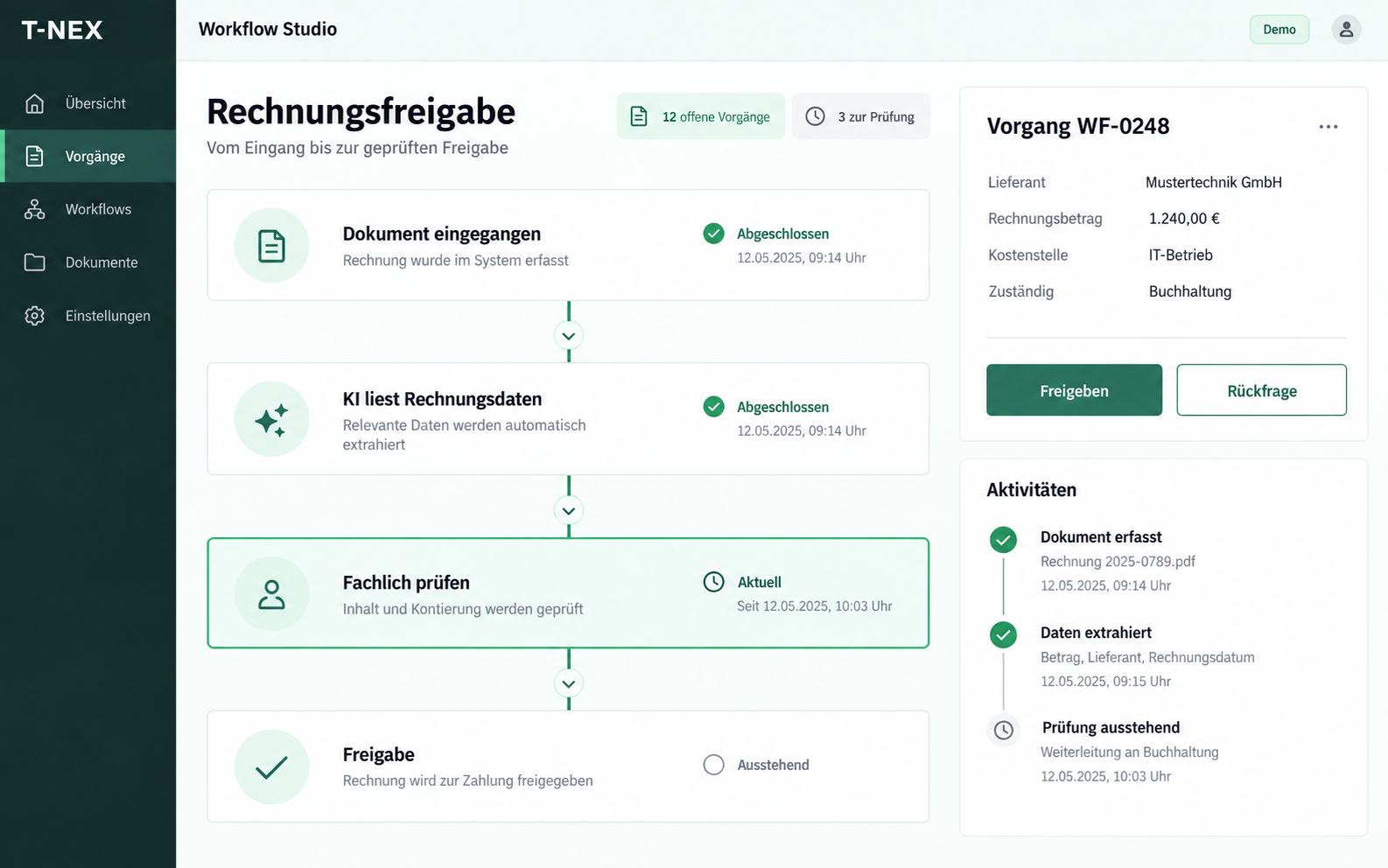
T-NEX develops custom workflows for requests and approvals, adapting existing components with suitable rules and evaluated AI steps.
Explore serviceBring a concrete task. Together, we will define what the application needs to do.
Discuss your incoming invoices