Custom software development for companies
T-NEX develops business applications and extends existing systems, from clickable prototypes and integrations to agreed handover and support.
Explore service
For MONTEE, T-NEX developed a production management application that brings together work plans, capacity and shop-floor execution. Employees receive instructions directly at the terminal and report completed steps. The application belongs to MONTEE.
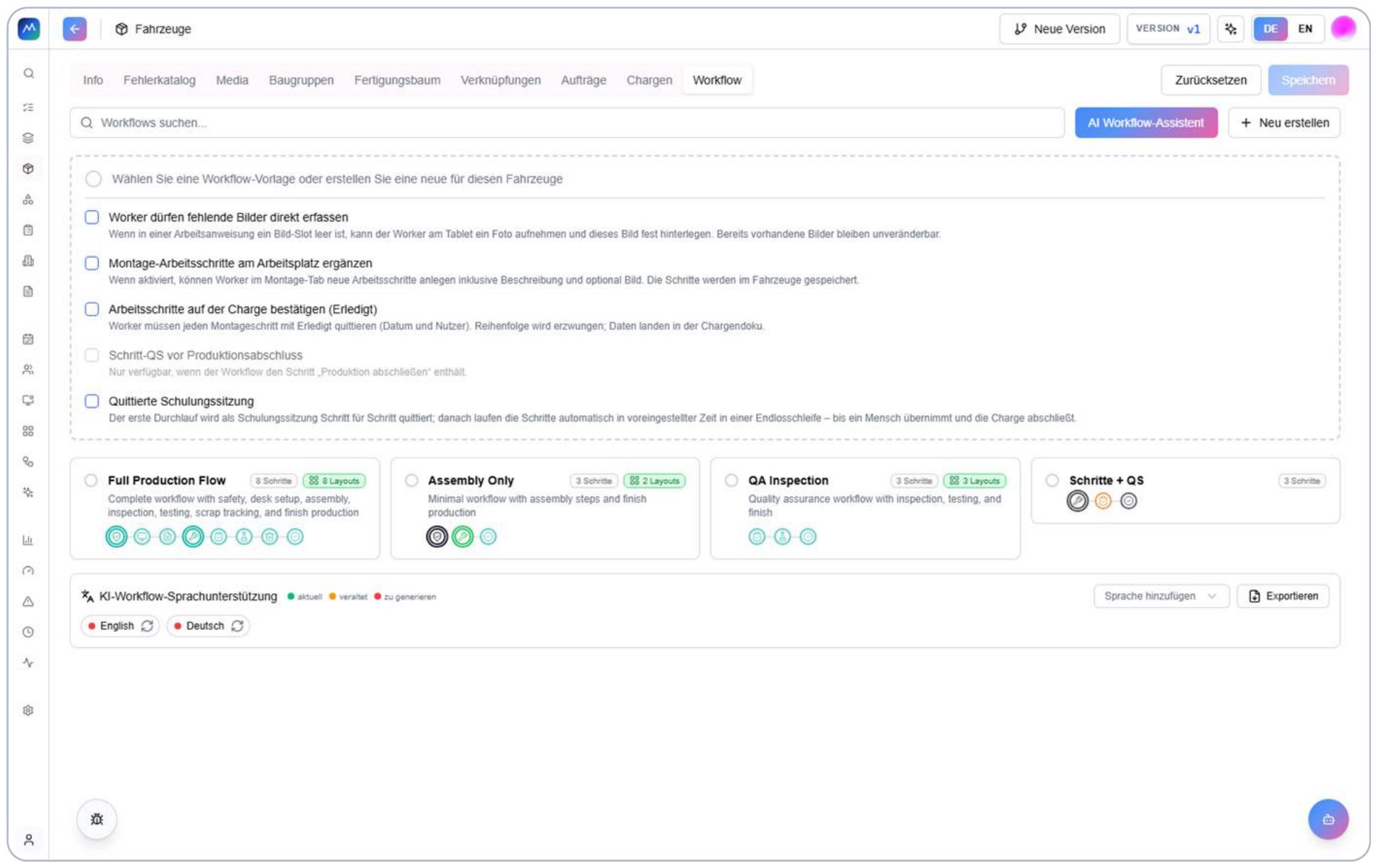
Work plans, orders and capacity connect planning with production.
The workflow is configured on the item. The template, photo capture and step confirmation define how subsequent work is guided at the terminal.
Rules for the operator interface
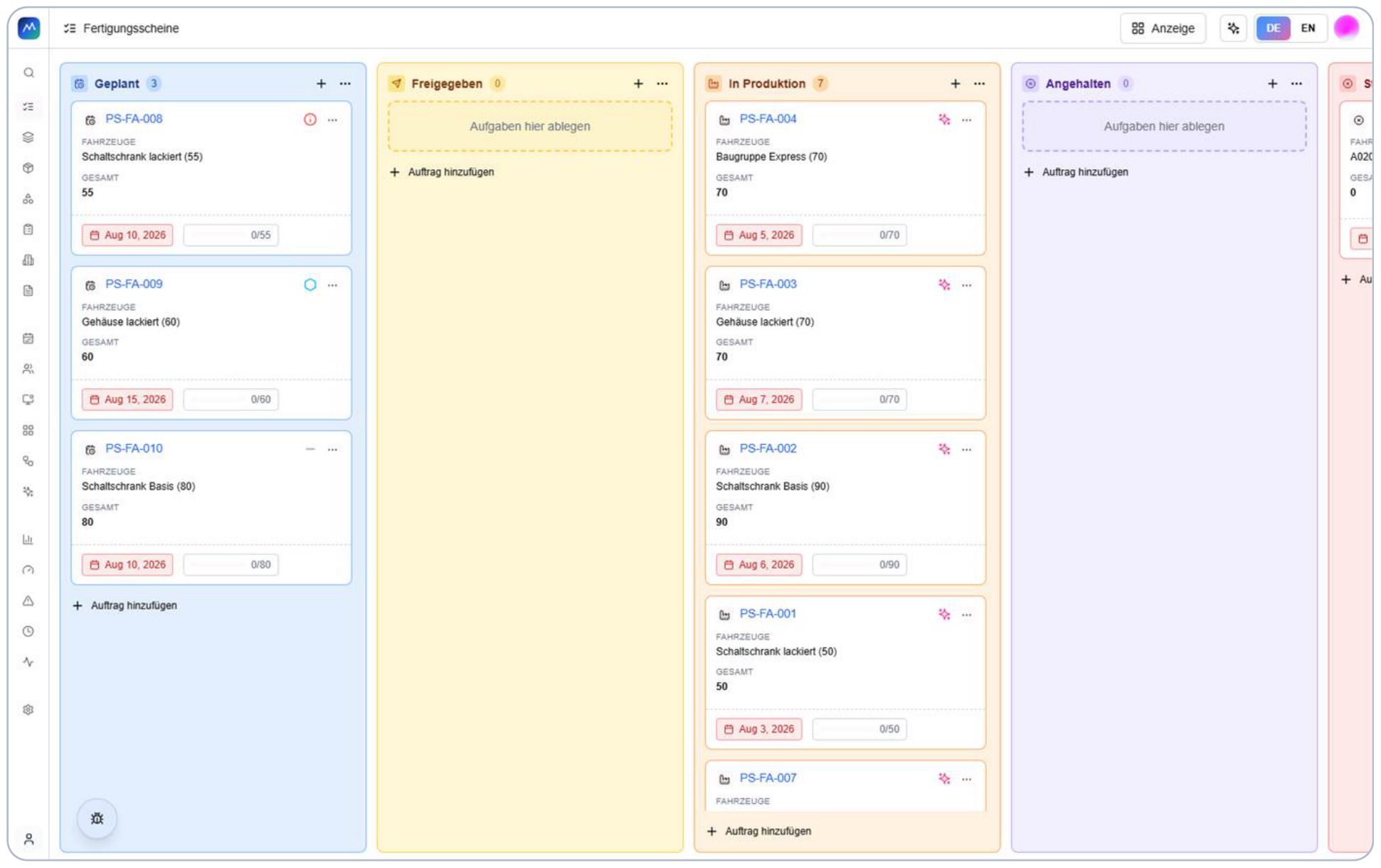
Enlarge viewThe status board brings together production orders, quantities and dates. Planning and execution share the same progress view.
Progress by status
 Enlarge view
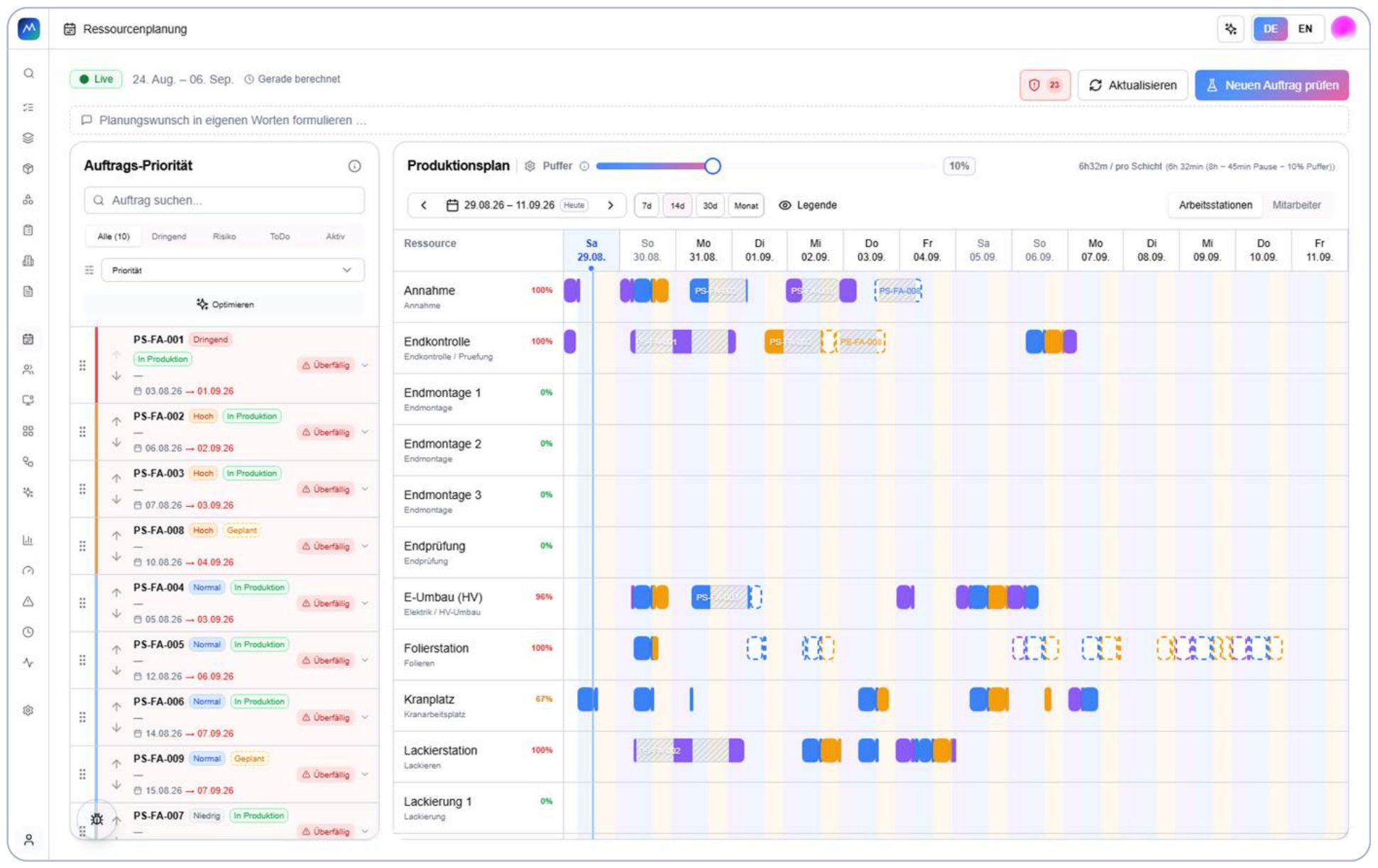
Prioritised orders are matched with available workstations. Allocation times and scheduling risks become visible in context.
Allocations and scheduling risks
 Enlarge view
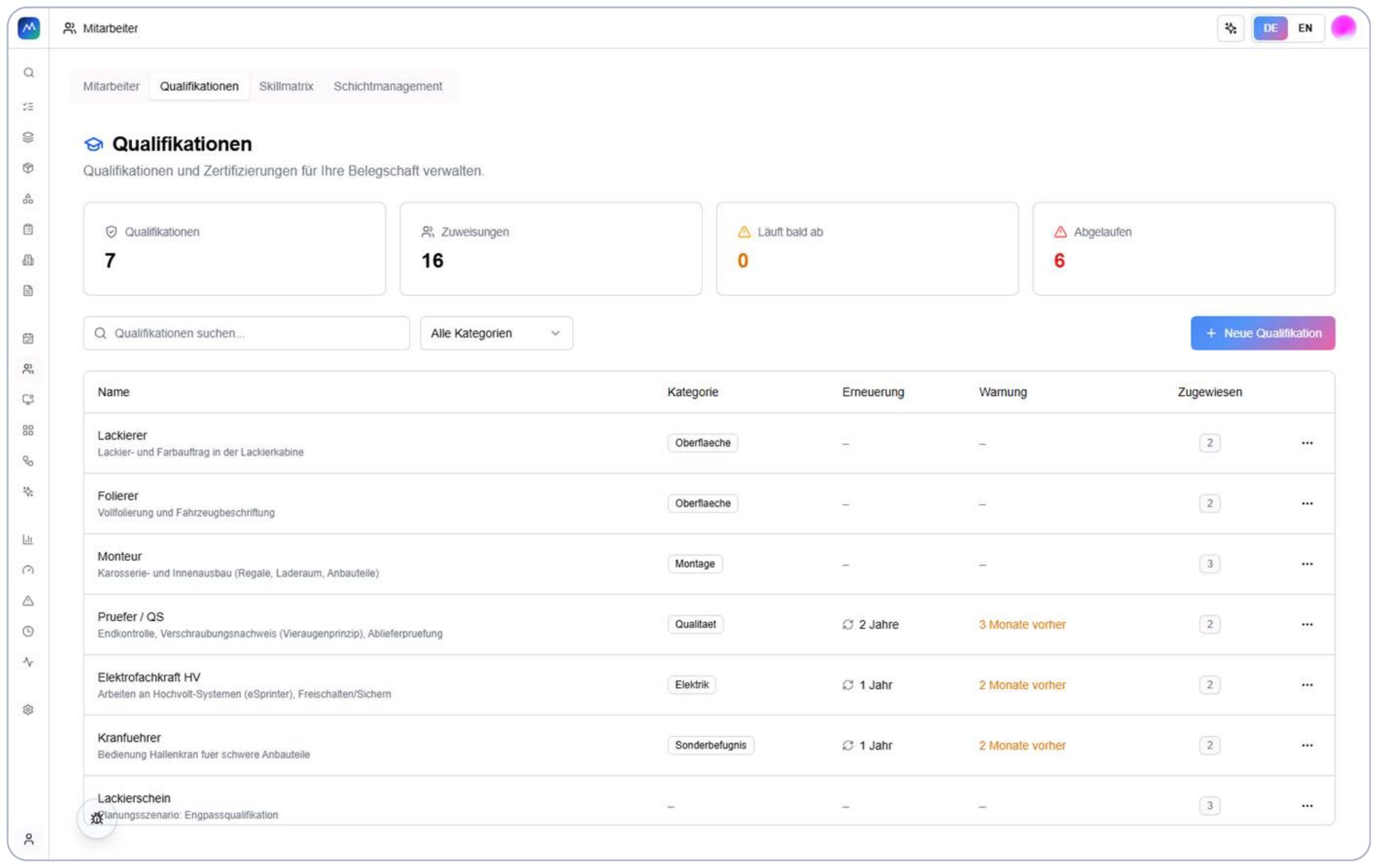
The catalogue organises qualifications, renewal periods and advance warnings, making qualification information available for planning.
Qualifications available to planning
 Enlarge view
Workstation use, order load and staff are considered together. Open planning signals indicate where closer review is needed.
Capacity and risk overview
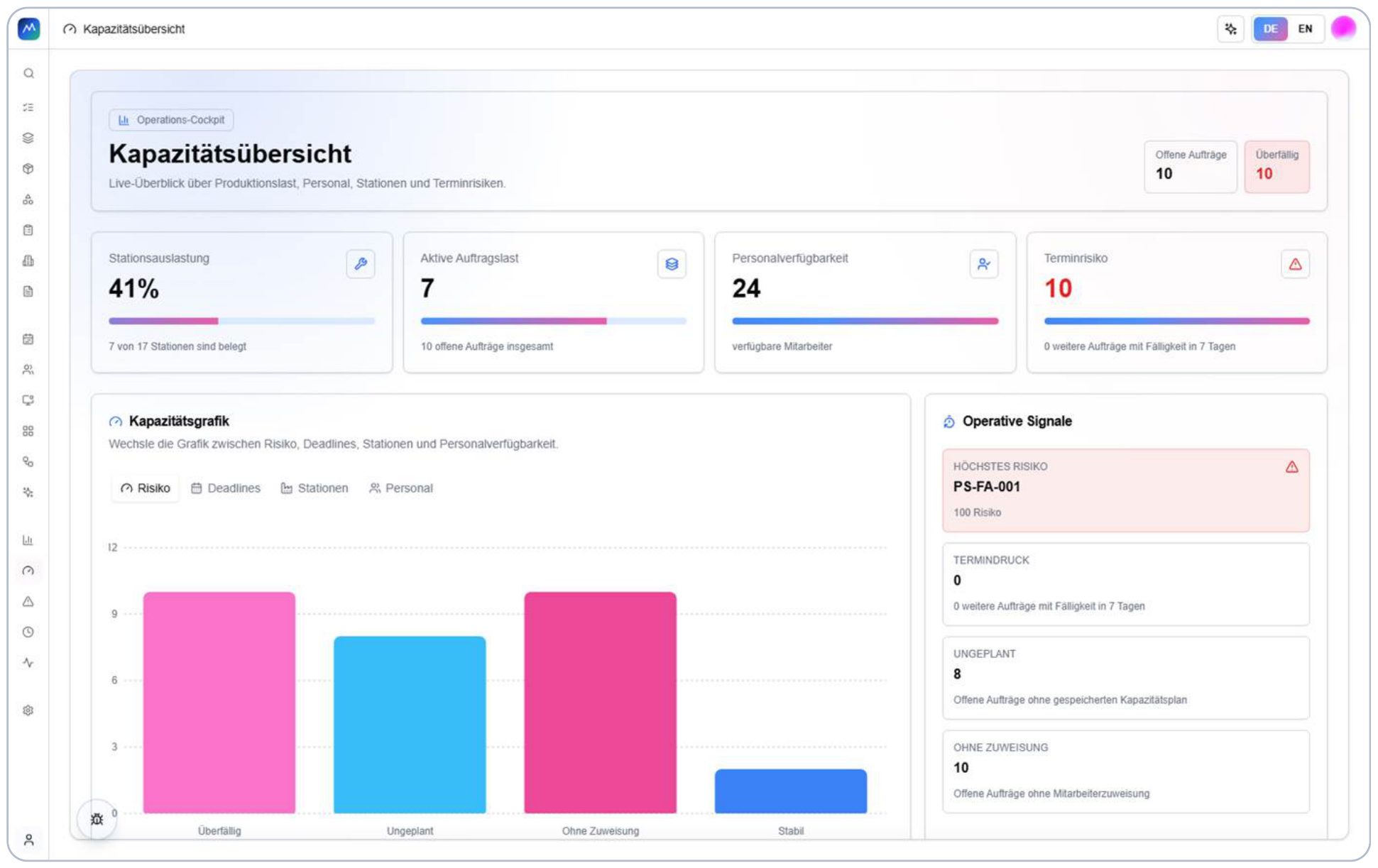 Enlarge view
From planning to feedback: T-NEX brought MONTEE’s operational workflows together in a manufacturing application.
| Item | Project scope |
|---|---|
| Task | Connect manufacturing planning with execution at the workstation. |
| T-NEX contribution | Development of the manufacturing application; MONTEE owns the product. |
| Implementation | Items and work plans, orders, capacity planning, qualifications and operator terminals. |
| Result | Legacy migration by business domain; local caching and later reconciliation at the terminal.. |
T-NEX developed a production management system for MONTEE that connects orders, work plans and operator guidance. Administrators maintain the operating instructions; workers see information for their current task on a tablet or terminal. MONTEE owns the product.
The connection is direct: the work plan stored against an item determines what appears at the workstation. Changes to sequence, material or instructions do not need to be described again in a separate terminal view. Planning and execution use the same business context.
An item connects its work plan, bill of materials, media and the information needed for execution. Each step can contain instructions, images, videos, checklists and input fields. A layout template determines the presentation at the operator terminal.
The project therefore goes beyond an order list. Instructions are generated from maintained master data and guide the work. Required checks and confirmations are configured for the item and process concerned.
Resource planning connects a prioritised order list with an allocation schedule. A Gantt view shows plans by workstation or employee and exposes utilisation and conflicts. A time buffer can reflect the shift capacity actually available for scheduling.
Planning optimisation produces a proposal that requires confirmation before acceptance. Additional orders can also be assessed within the plan. Scheduling remains an accountable decision, with its effects made visible before changes are applied.
Employees, qualifications, a skills matrix and shifts are maintained in connected views. Qualifications can have validity periods and advance warnings. The matrix shows existing evidence and where additions are needed.
Planning can respond differently to missing qualifications: ignore them, show a warning or block the relevant allocation. This setting belongs to the chosen operating process. A capture level named Compliance does not itself prove fulfilment of a particular standard.
The terminal displays work steps and associates feedback with the record. Depending on configuration, this can include completion confirmations, quality checks, photos and measurements. Bills of materials and relevant documents remain accessible in the work context.
Work plans, images and bills of materials can be cached locally. Feedback, photos and confirmations are buffered during connectivity loss and synchronised later. A visible synchronisation status supports operation; a device must not simply be reset while data is still pending.
The application includes migration from a legacy system organised by business domain. Source and target objects can be traced for each area. Introduction therefore connects the interface, master data and existing records.
AI assistants support the preparation of work plans and the import of product information. Your team reviews the suggestions before applying them.
No. MONTEE owns the product. T-NEX presents its development work on this customer project and the connection between planning, the data model and shop-floor operation.
The work plan maintained against the item supplies steps, instructions and related content. The configured layout template determines how they appear. Master data therefore directly affects workstation operation.
The documentation describes local caching and later synchronisation. Pending feedback remains on the device until it has been transferred. Device and synchronisation handling are part of the operating process.
Yes. We review requirements, existing systems and suitable components for your project. Customer-specific code is not assumed to be freely reusable.
T-NEX develops business applications and extends existing systems, from clickable prototypes and integrations to agreed handover and support.
Explore service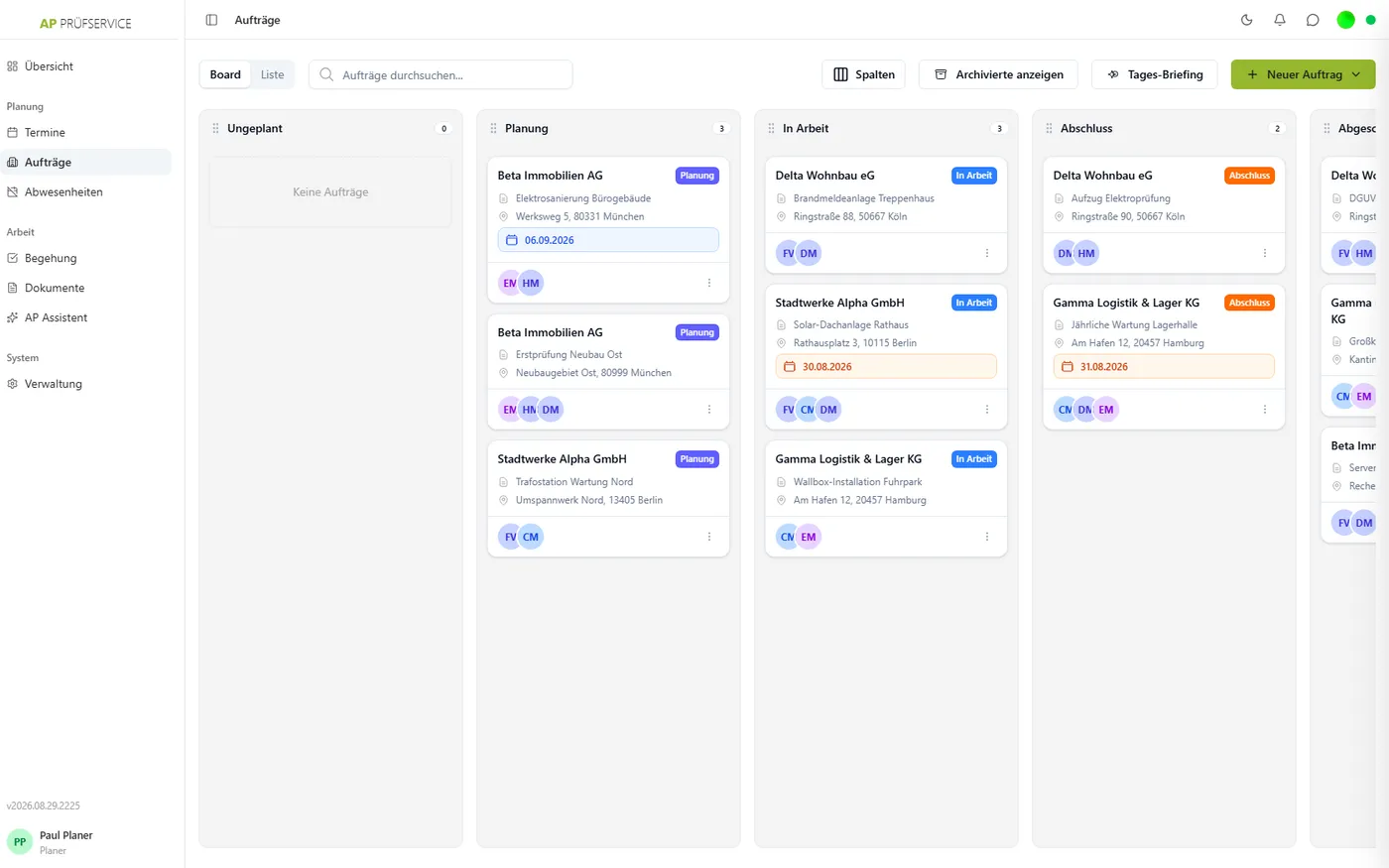
T-NEX developed a job platform for AP Prüfservice, connecting office planning with mobile recording and the work performed on site.
View reference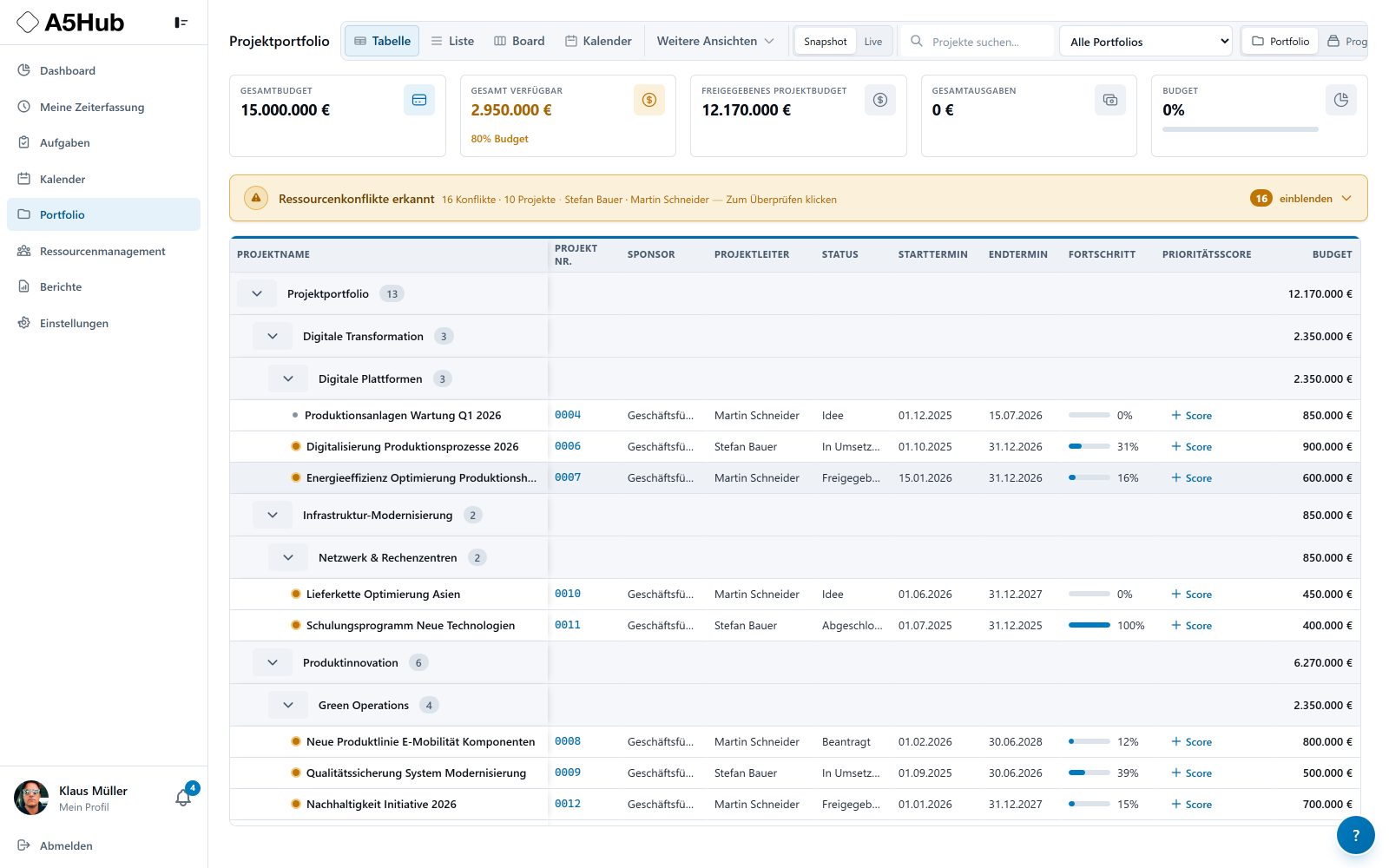
T-NEX PPM connects portfolios, projects, resources and costs. Plan work packages, agree capacity and compare changes against an established baseline.
Learn moreSelect manufacturing execution software using concrete tests for work plans, feedback, capacity, offline cases, employee data, integration and handover.
Bring a concrete task. Together, we will define what the application needs to do.
Discuss a manufacturing project