Custom software development for companies
T-NEX develops business applications and extends existing systems, from clickable prototypes and integrations to agreed handover and support.
Explore service
The T-NEX module connects asset registers, locations, loans and inventory checks. It shows where an item is and who is responsible for it. The solution is based on Malaysia's KEW.PA model and is adapted functionally and technically for use in Germany.
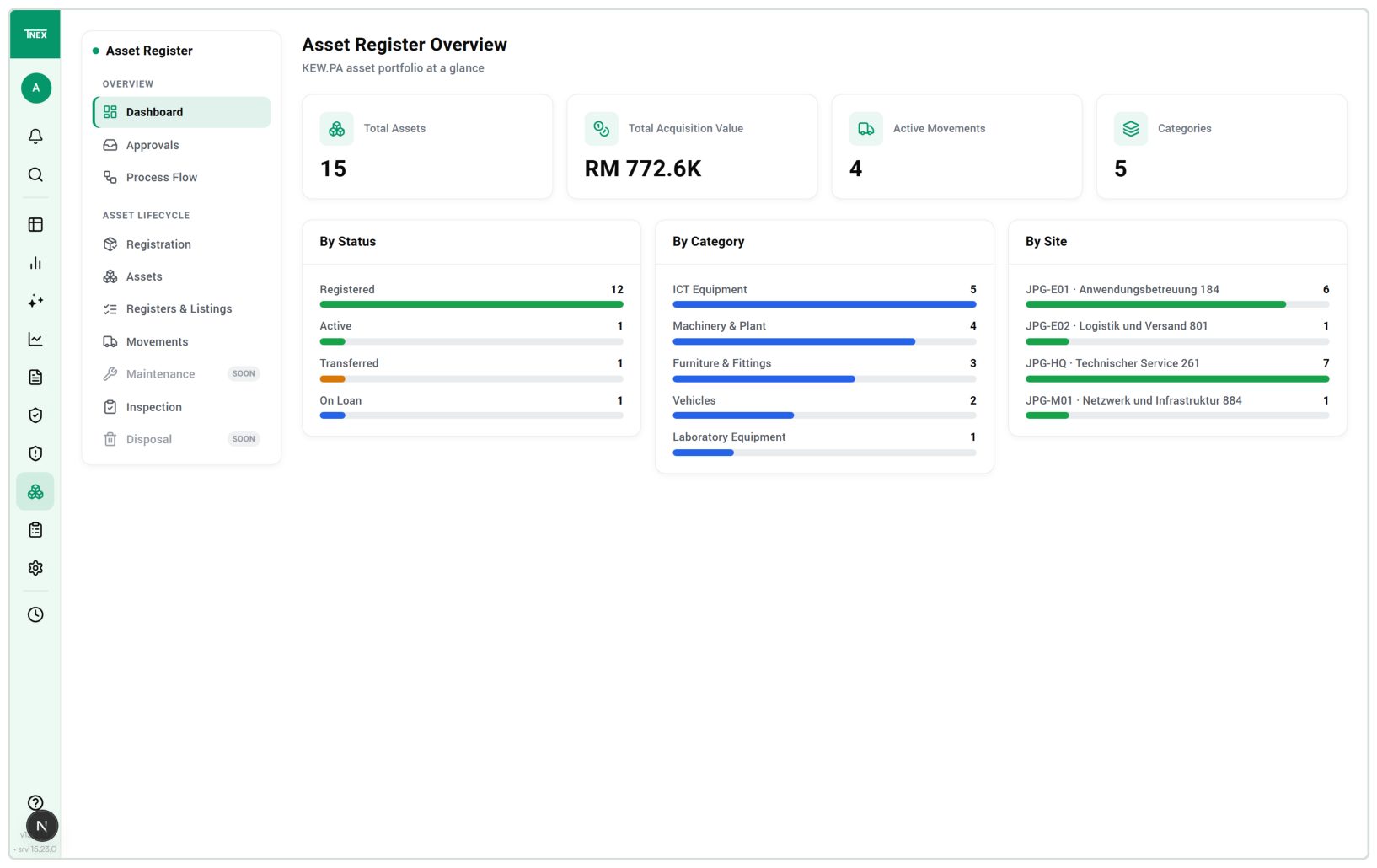
Find assets, track movements and carry out inventory checks.
The dashboard organises assets by status, category and location. Its indicators lead directly to the corresponding registers.
View inventory and movements in one workspace.
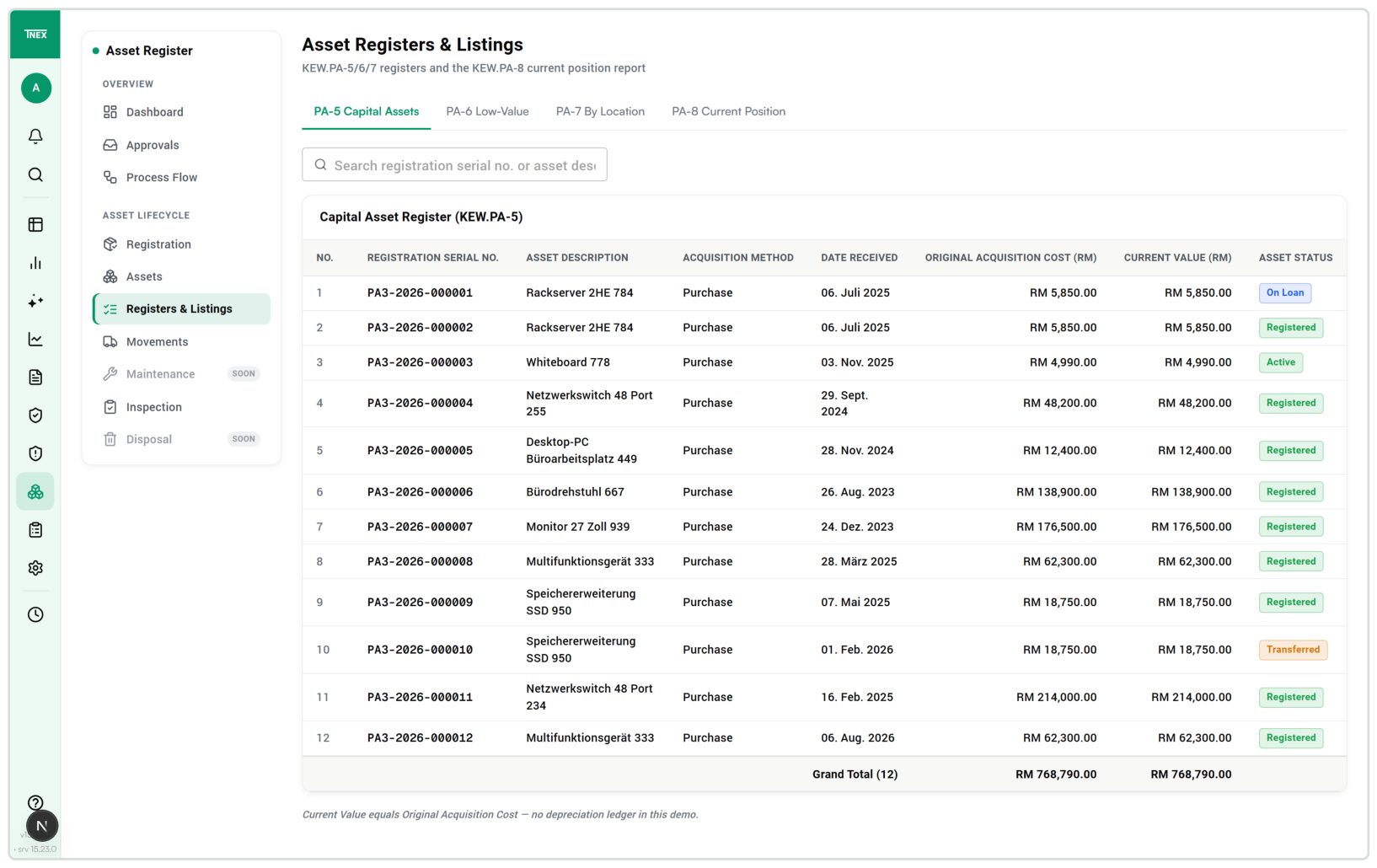
Enlarge viewThe register makes recorded assets findable by registration number. Acquisition values and status remain with each entry.
Traceable asset register
 Enlarge view
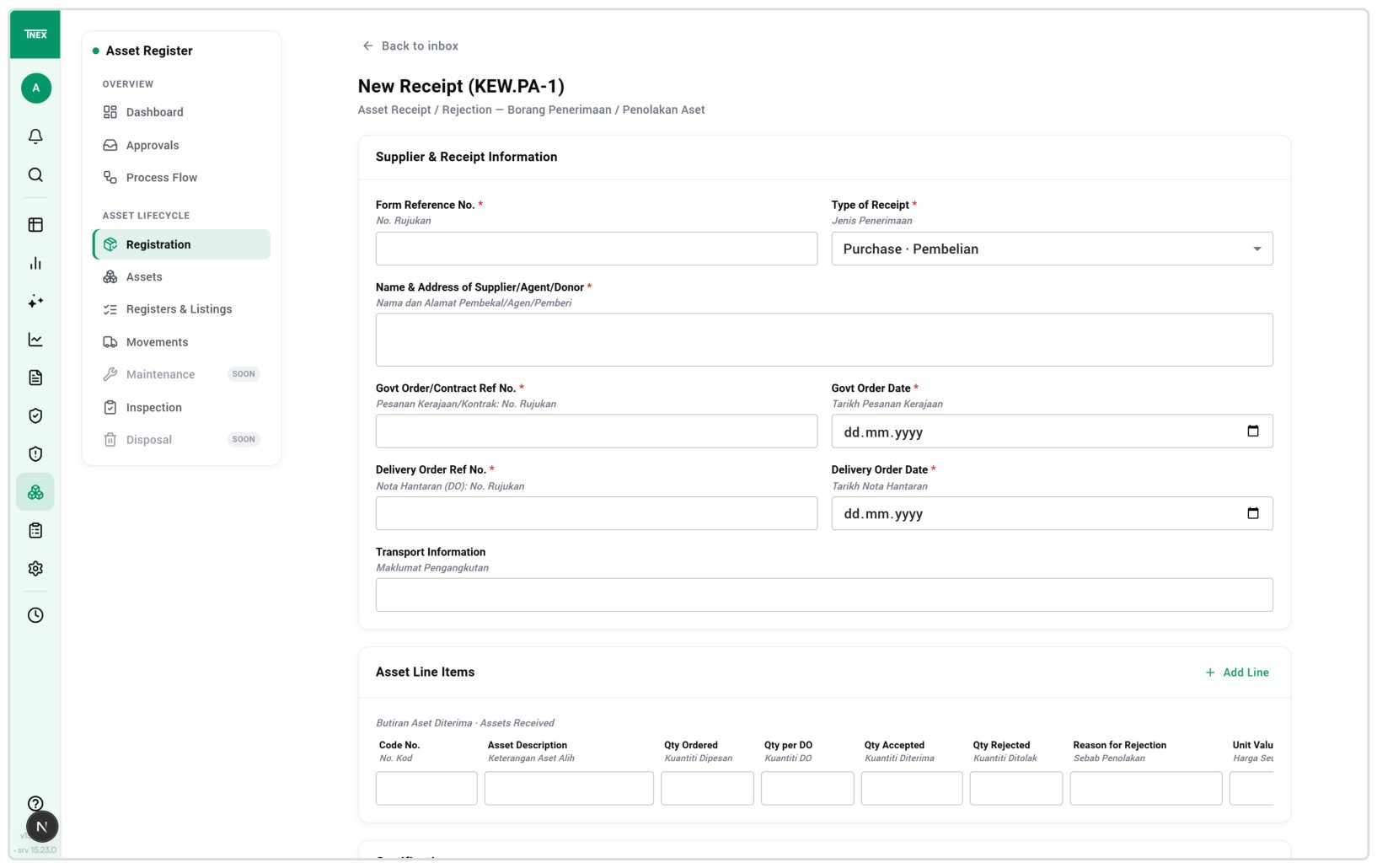
Goods receipt connects the delivery to its reference, supplier and purchase record. Quantities are recorded in the designated form.
Recorded receipt ready for further processing
 Enlarge view
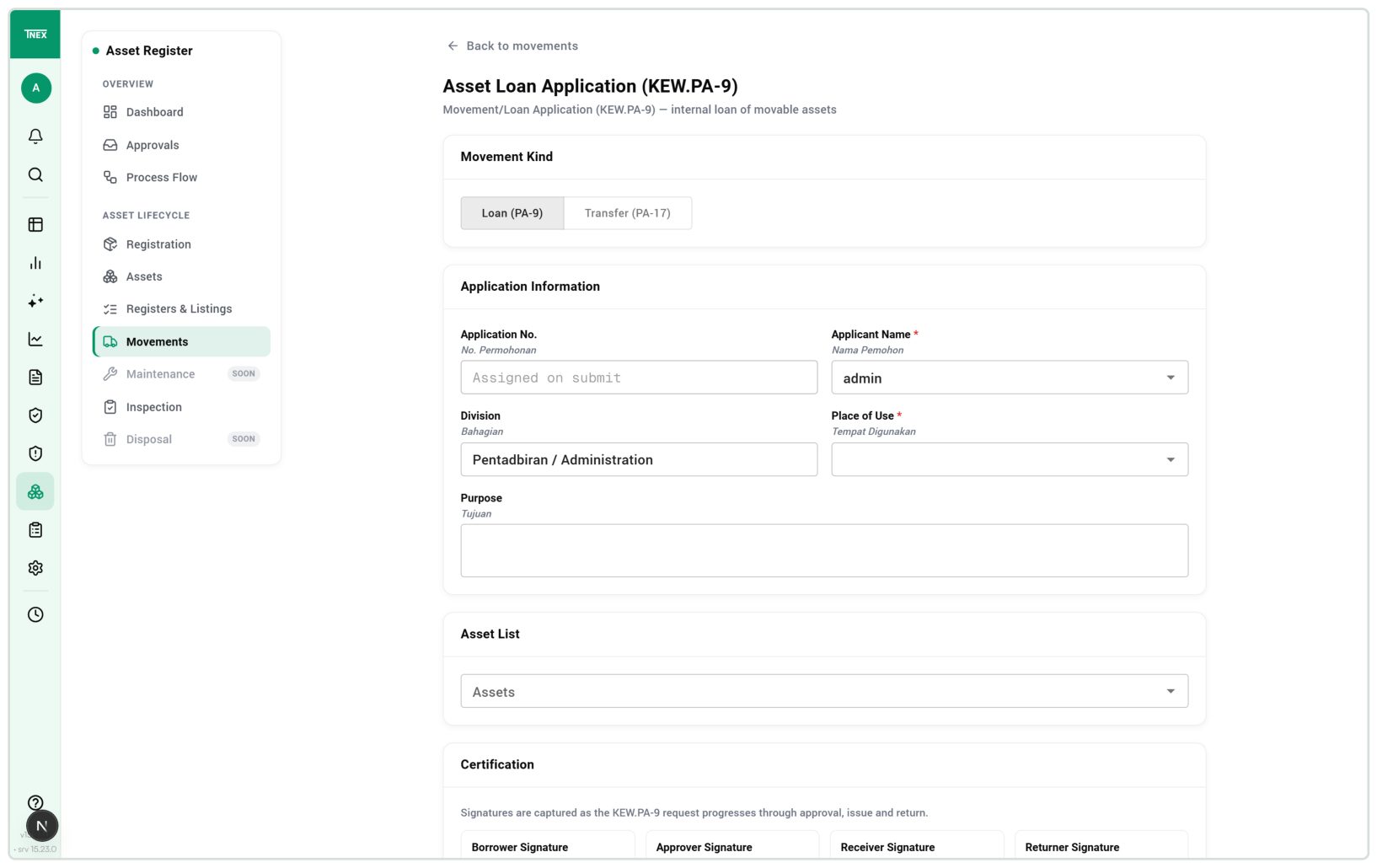
A request connects the asset, place of use and purpose. Choosing a loan or transfer defines the case to process.
Request for the approval workflow
 Enlarge view
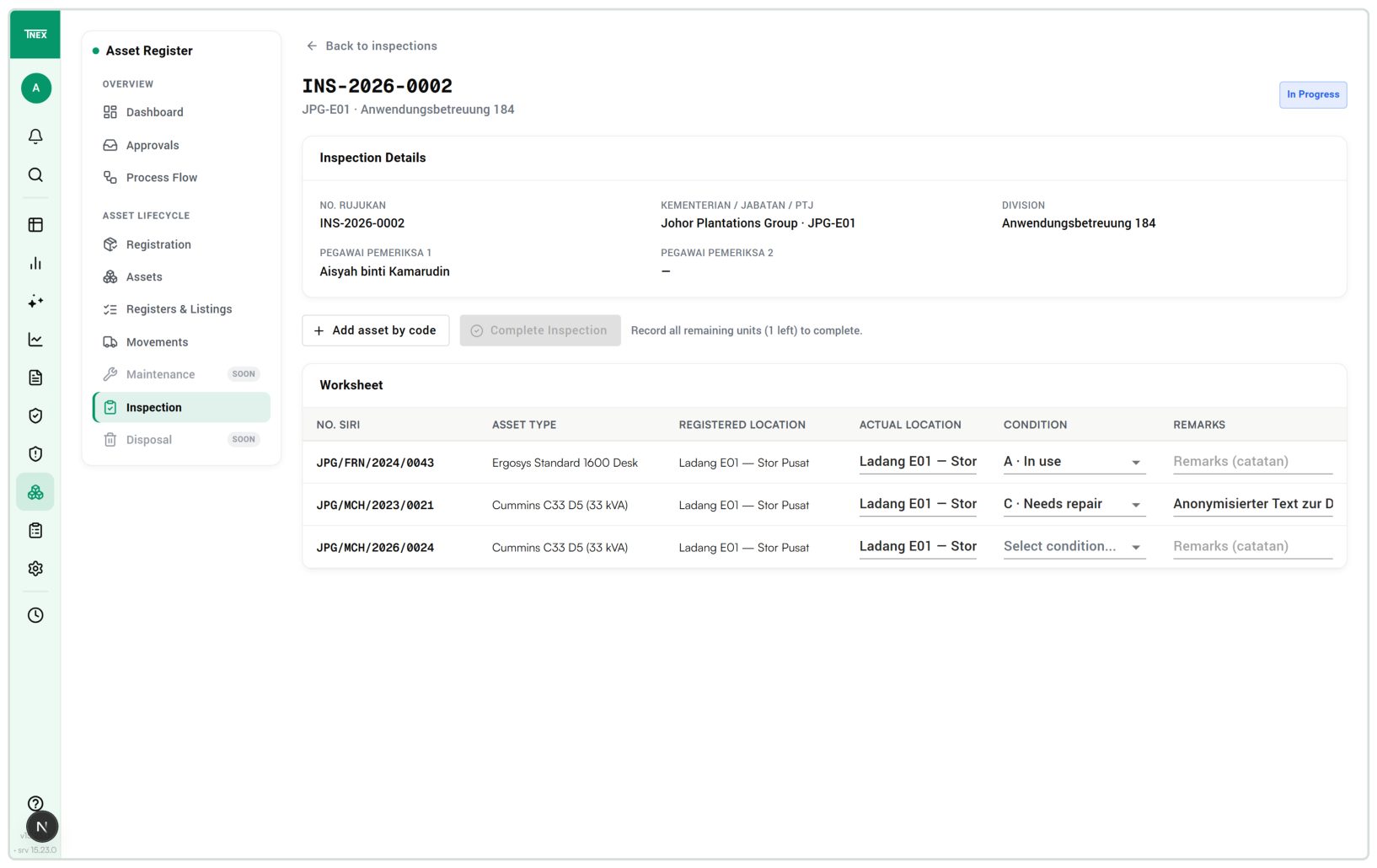
Inventory inspection compares registered and actual locations. Condition and remarks stay with the inspected asset.
Complete inspection lines before completion
 Enlarge view
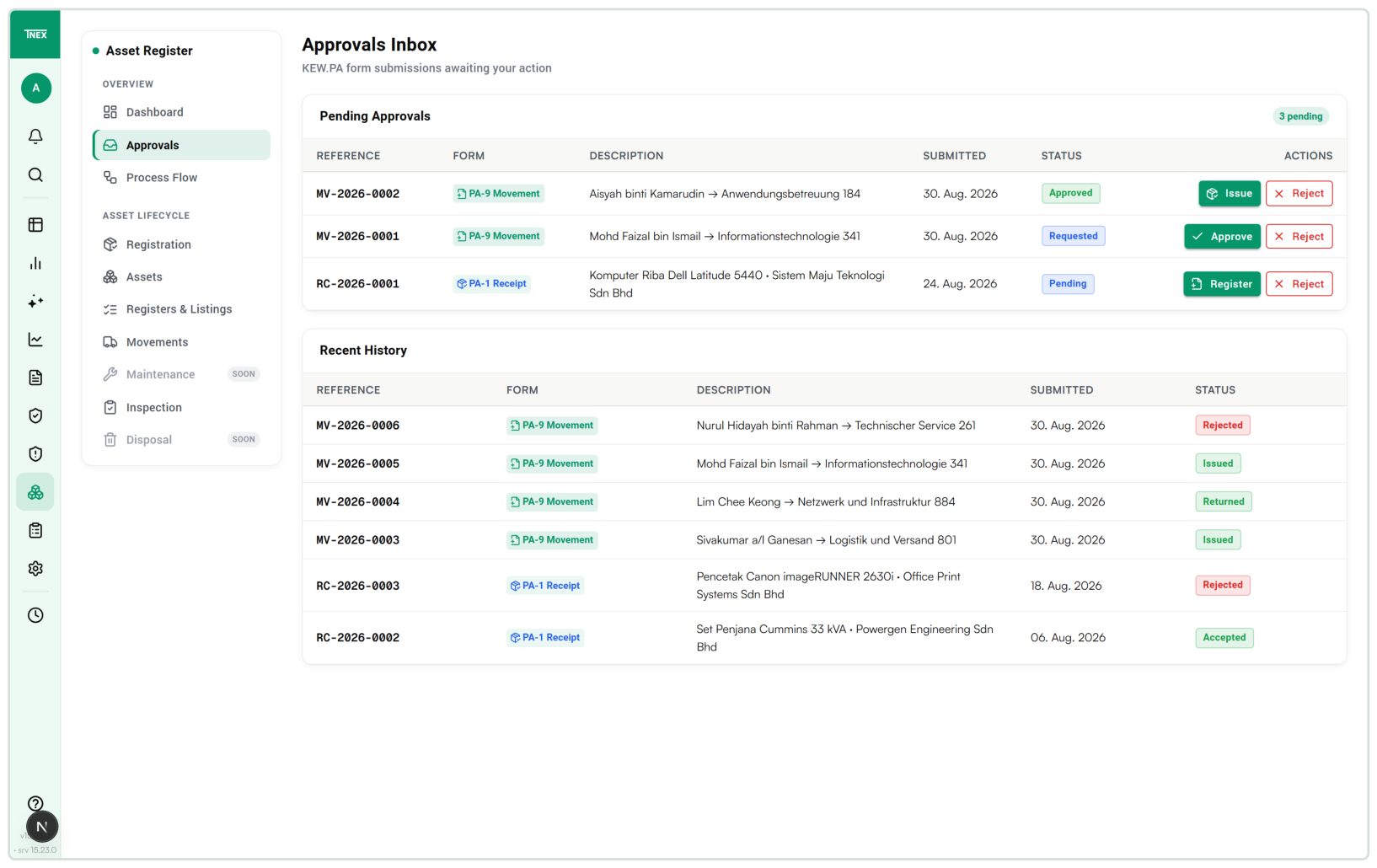
Submitted records come together in the approval inbox. Status, available actions and history are visible on each request.
Approval, issue or rejection in the history
 Enlarge view
For organisations managing movable equipment across several locations, such as tools, devices and IT equipment, with defined handover and inspection processes.
The module supports asset registers and inventory using the KEW.PA process model. We adapt forms, language, currency and approvals to your business. Extensions such as fixed-asset accounting or automatic tag scanning require a separate implementation scope.
Connect identifiers, acquisition details, location, custodian and movement history.
Reconcile quantities, assign a technical inspection, and accept or reject a delivery with a reason.
Manage temporary lending and permanent relocation through separate status sequences.
Check actual location and condition against the register and record discrepancies.
Generate inventory views by register type and location from recorded assets.
Bring together pending decisions and the actions available for each record.
A delivery is recorded with its supplier, delivery note, purchase reference and line items. Ordered, delivered, accepted and rejected quantities remain separate. A technical inspection can be assigned where needed. Rejection requires a reason and remains available as its own record.
On acceptance, receipt information is carried into registration. The asset record contains its identifier, serial number, acquisition details, category, location and custodian. The detailed register also supports items such as warranty information and a component list. The organisation’s asset identifier and the registration number assigned by the system serve different purposes.
Equipment on loan still belongs to its registered location, although it is temporarily elsewhere. The module provides separate inventory and current-position views. These lists are generated from the asset register and its transactions.
A discrepancy can therefore be investigated in context: is there a recorded loan, has a transfer taken place, or is the item in the wrong place? The register can be filtered by status, category, location and site.
| Situation | Registered location | Current position |
|---|---|---|
| Regular use | The asset’s assigned location | Expected there and checked during inventory inspection |
| Temporary loan | Remains unchanged | Borrower or recorded place of use |
| Permanent transfer | Changed to the destination when issued | New location; moving it back requires a new transfer |
A movement can contain several items. It records the requester, purpose, destination and, for a loan, expected return date. Approval and actual issue are separate steps; only issue changes the asset status.
The documented sequence allows issue only after approval and return only after an issued loan. A transfer is permanent and therefore has no return step. These rules govern the transaction recorded in the application. Overdue loans are tracked through the movement list and their expected return dates.
For a location and inspection period, the module places registered items into an inspection sheet. The inspector records the actual location, condition and remarks. An item found on site can be added by its identifier when it is missing from the list.
The sheet distinguishes use, non-use, repair needed, maintenance, loan and missing items. A recorded loan is derived from the asset status. Incomplete lines prevent completion. A completed inspection produces a summary by condition and a coverage rate; the annual certificate consolidates completed inspections.
A missing item is first a finding to investigate. A complete loss or disposal procedure is outside the functional scope of this version.
The approval inbox brings together receipts and movements that need a decision. It shows the actions available for the current status. It does not establish an automatic deadline-monitoring function.
The module separates read, write and administration permissions from five functional roles covering asset responsibility, technical inspection, management, inventory inspection and borrowing. Entry, approval and sign-off can be assigned to different people. The version does not technically enforce that they are different people; the intended separation needs explicit treatment in role design and acceptance.
The base application uses English and Malay KEW.PA labels and amounts in ringgit. For your business context, we plan the following adaptations and implement the agreed scope.
| Package | Documented starting point | Adaptation for your organisation |
|---|---|---|
| Forms and roles | KEW.PA forms with English and Malay field labels | Adapt terminology, required information, responsibilities and sign-off paths to the process |
| Value thresholds | A hard-coded RM 3,000 threshold separates the registers; changing it requires application work | Define the required register logic and implement configurable thresholds |
| Currencies | RM throughout; multiple currencies are not documented | Define EUR display and data fields, and multiple currencies and conversion rules if needed |
| Valuation and depreciation | Acquisition values and register lists; no documented depreciation calculation | Import carrying values from the leading accounting system or develop a separately defined calculation |
The documented strength is the connection between an item, its location, responsibility and movement. The manual covers an overview dashboard, master and register data, receipts, loans, transfers, inventory inspections and an approval inbox.
Maintenance and disposal already appear in the process diagram, but their processing is marked as a later development stage. An ERP connection, barcode, QR or RFID capture, automatic reminders and complete fixed asset accounting are not documented as available functions in this version. Any such requirements need their own implementation scope.
For an implementation, we first define equipment categories, locations, identifiers and responsibilities. A limited set of sample records also includes a rejected delivery, a late return and a location discrepancy. The team can then follow the full path from entry to an inspection finding.
Acceptance specifies the transactions, data transfers, permissions, outputs and operating responsibilities included in the agreed scope. This turns the module into an implementation tailored to your process.
Record equipment categories, location structure and responsibilities.
Define forms, thresholds, currencies and valuation scope.
Walk through a complete process with sample data and exceptions.
Accept the adaptation, data transfer and operating arrangements against agreed outcomes.
Before use in Germany, form and role terminology, value thresholds, currency handling and the import or calculation of carrying values need to be defined and implemented. Maintenance, disposal and loss procedures are marked as later development stages in the version. The module is therefore not a complete fixed asset accounting system.
The version is a developed module for asset registers and inventory inspections based on the KEW.PA process model. Use in Germany requires the described adaptations. Complete fixed asset accounting and depreciation calculation are not included in that claim.
Movable equipment such as devices, tools and IT equipment. The focus is on identifiers, locations, custodians, movements and inspection findings. Financial investments and real-estate portfolios are outside the described use case.
A loan is temporary and leaves the registered location unchanged. It ends with a return. A transfer permanently changes the registered location; moving an item back is recorded as a new transfer.
The version provides different permissions and functional roles. It does not enforce that different people hold these roles. The intended separation therefore needs explicit treatment in role planning and acceptance.
Maintenance, disposal and loss procedures are marked as later development stages in the described version. Barcode, QR and RFID capture are not documented as existing functions. Required extensions are scoped separately.
Such a connection is not a demonstrated standard feature of this module. The project defines the leading data source, asset identifier, value fields, transfer direction and reconciliation. An appropriate data exchange can then be developed and tested.
T-NEX develops business applications and extends existing systems, from clickable prototypes and integrations to agreed handover and support.
Explore service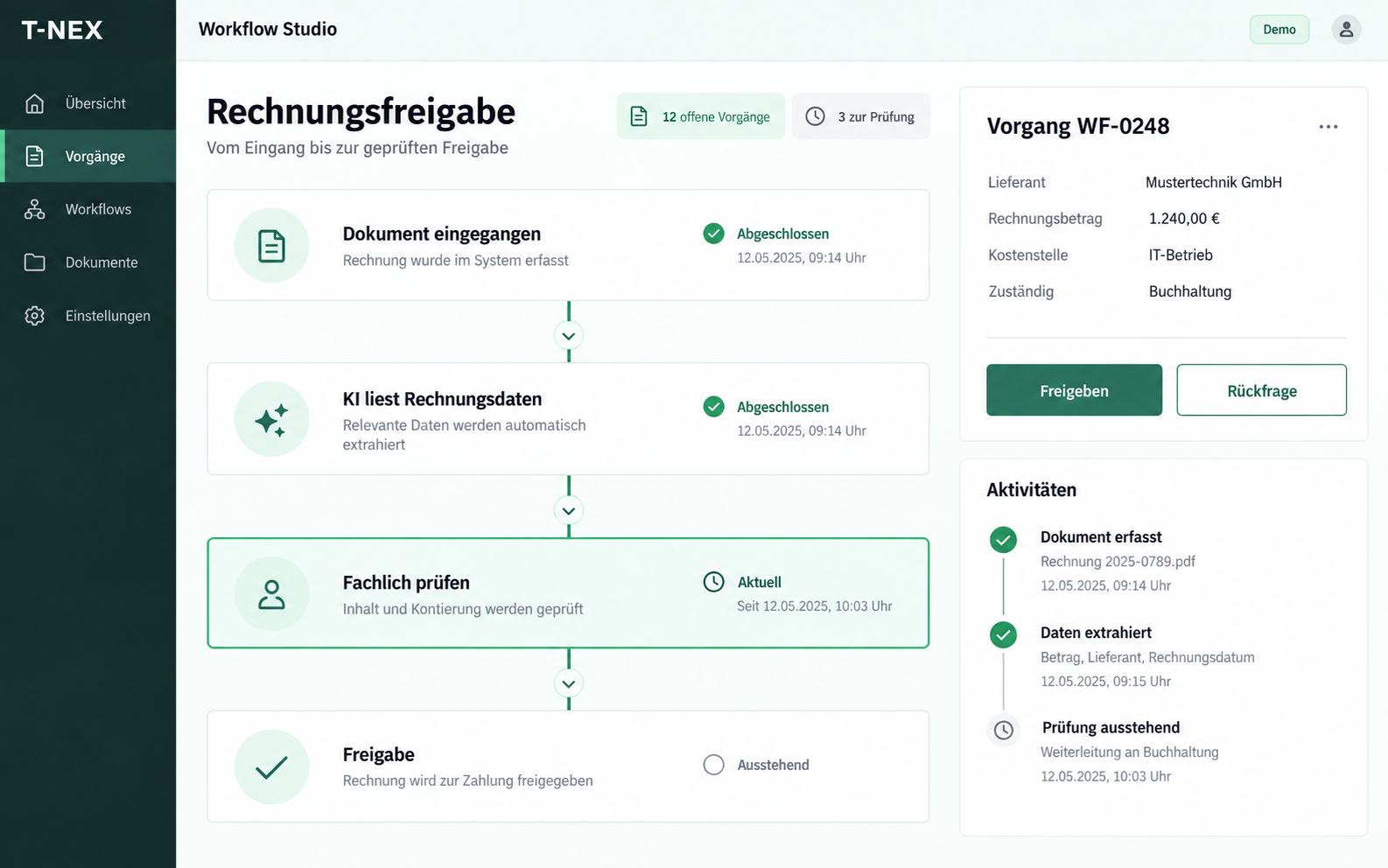
T-NEX develops custom workflows for requests and approvals, adapting existing components with suitable rules and evaluated AI steps.
Explore service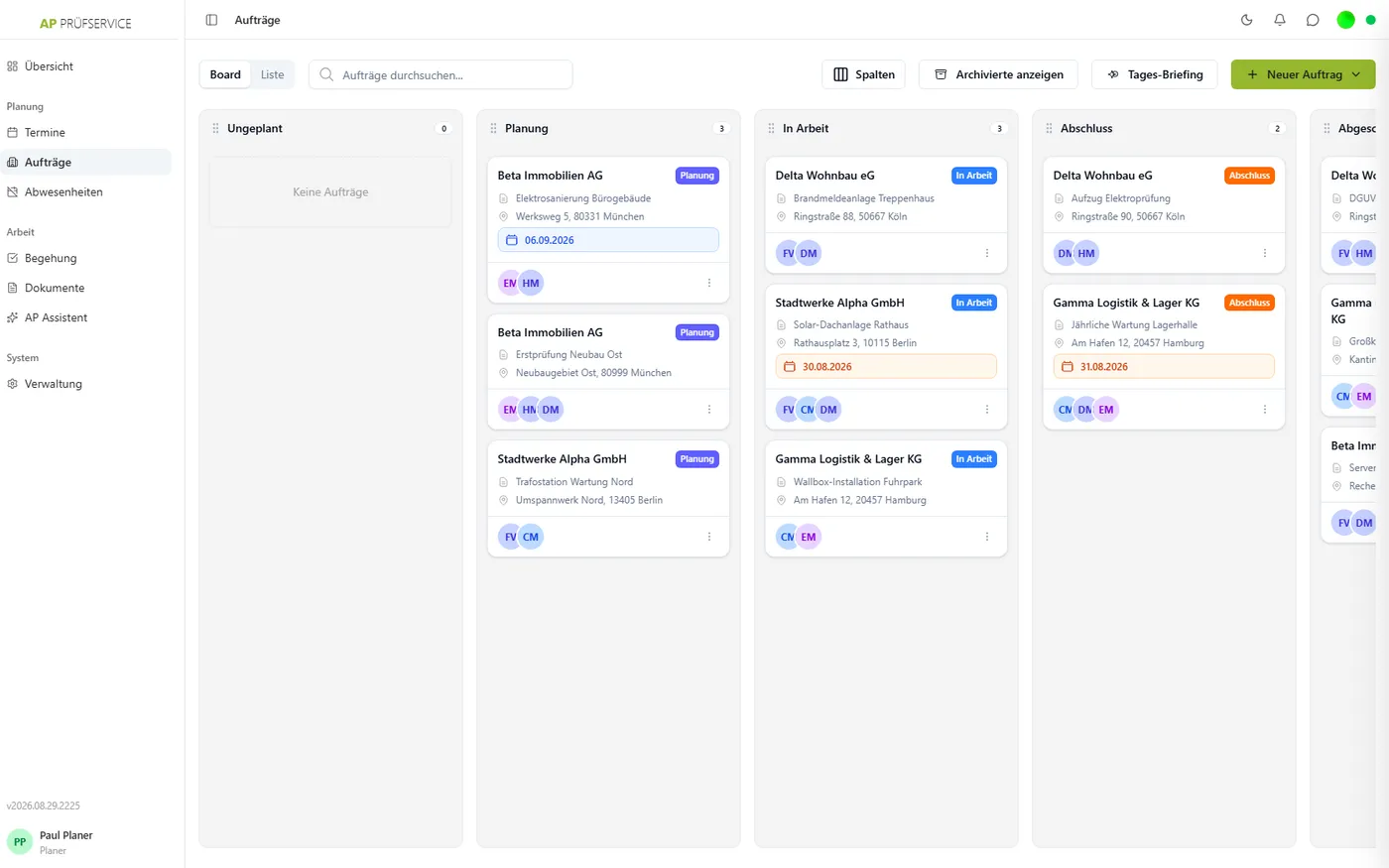
Plan jobs, record inspections on mobile devices and approve reports. T-NEX connects office and field teams, with offline recording and JTL-Wawi integration.
Learn moreT-NEX software projects: explore manufacturing software, mobile job recording, project planning and other applications for daily work.
Learn moreBring a concrete task. Together, we will define what the application needs to do.
Walk through your asset process