IT and AI consulting
T-NEX advises banks and insurers on software projects and GRC processes, with functional specifications, technical planning and an agreed implementation scope.
Explore service
The T-NEX AI Risk Manager brings risks, controls and processes into a shared view. The demonstrator lets you derive risk suggestions from incidents and explore scenarios. Together, we assess how these functions could support your risk management.
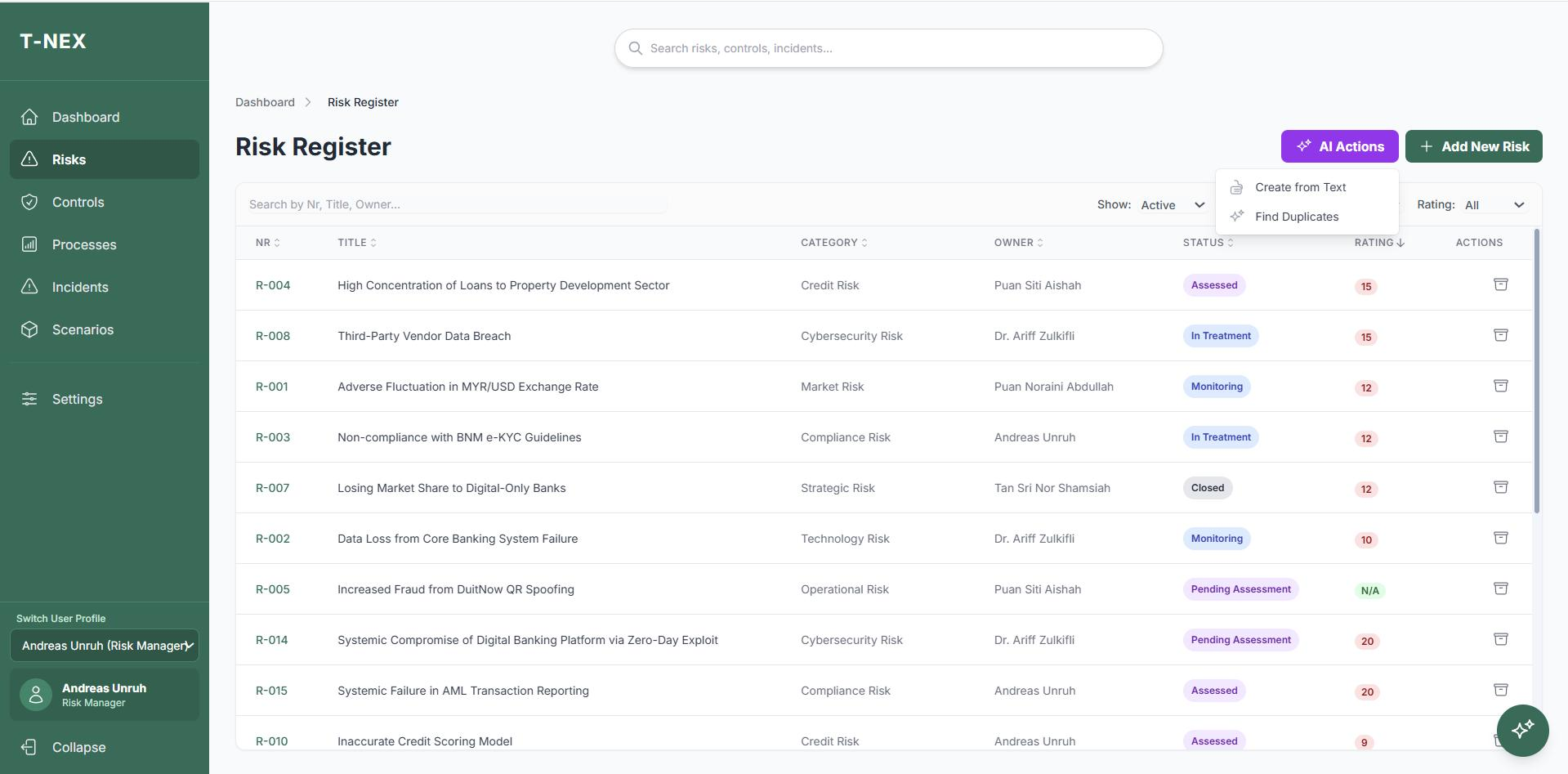
From the risk register to scenario analysis: record risks, explore potential impacts and review the results.
The register connects risks, categories and ownership. Search and filters help review the relevant part of the collection.
Filtered risks with ownership and workflow status
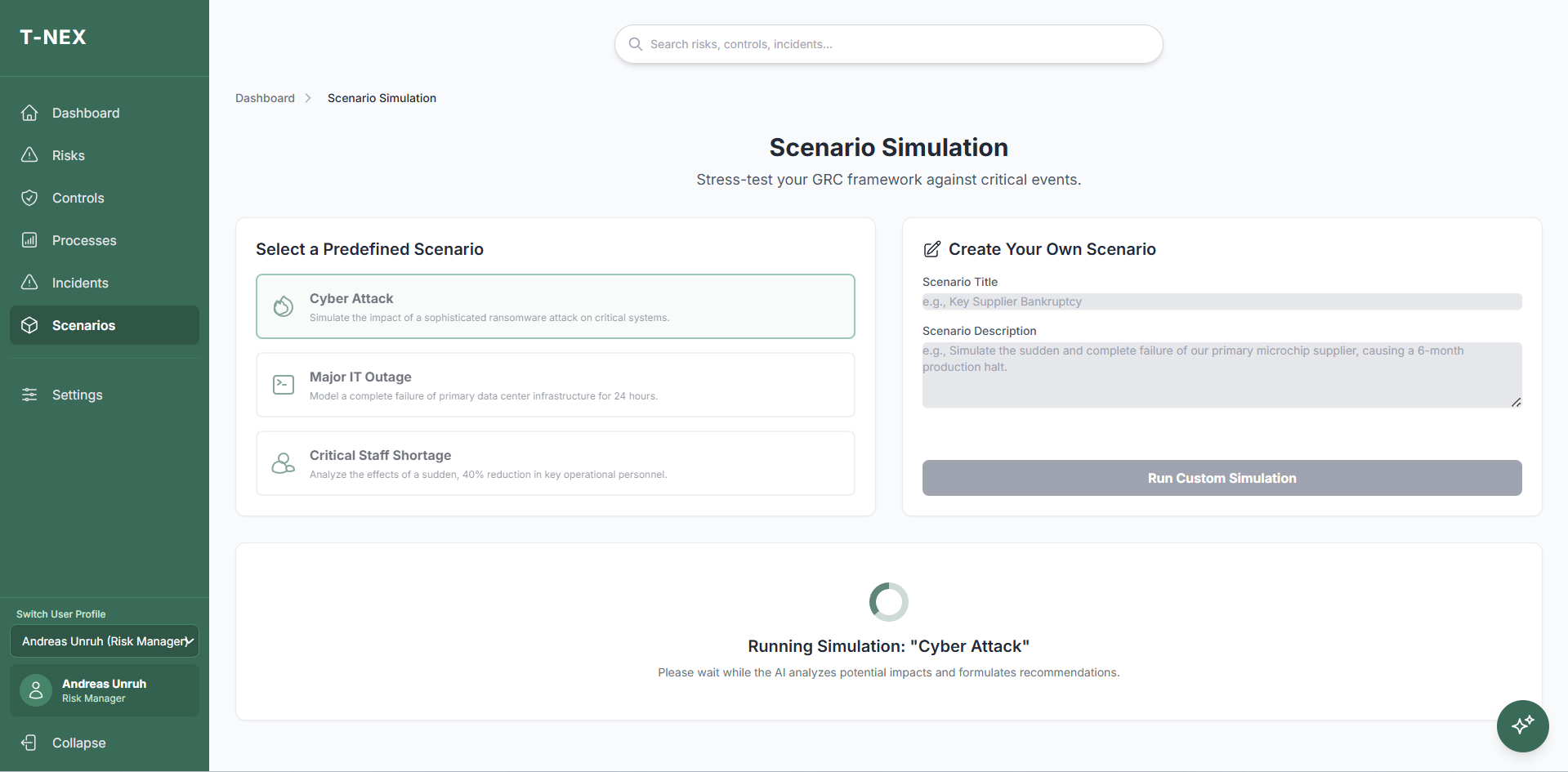
Enlarge viewA scenario is examined against the recorded risks and controls. The original view shows the processing state during analysis.
AI analysis of recorded data with visible processing state
 Enlarge view
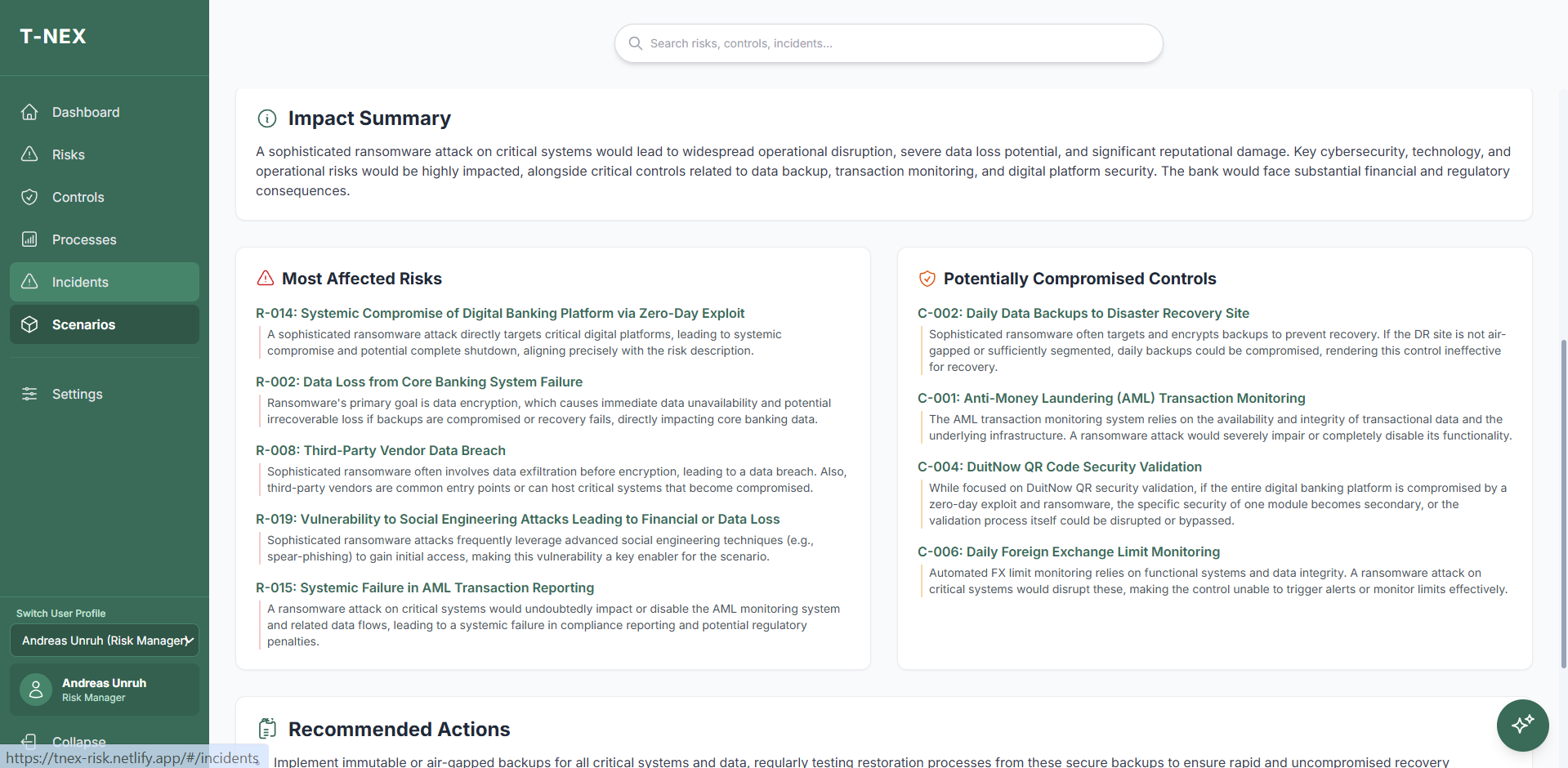
The analysis describes potential impacts on risks and controls. The business team reviews these observations and the suggested next steps.
Textual working hypothesis on risks, controls and actions
 Enlarge view
For risk leads who need to understand how individual risks relate to their controls.
In T-NEX AI Risk Manager, each risk has a description, category, owner and working status. Assessments, treatment plans, linked controls, attachments and changes remain accessible from the risk record. Search and filters expose the information needed for a review.
The demonstrated workflow runs from initial assessment through treatment and reassessment to monitoring or closure. AI can prepare a risk proposal from text and search for similar scenarios in the register. Business review determines whether two entries represent the same issue.
Find and edit risks by category, owner and status.
Likelihood and impact are proposed for review and can be edited before acceptance.
Controls receive owners and metrics and are linked to risks and processes.
Record an incident with loss details and root-cause analysis and use it to prepare a risk proposal.
Examine predefined or custom scenarios against the recorded risks and controls.
Assessment records likelihood and impact, with an optional potential financial loss and currency. The intended approach distinguishes inherent risk from the position after treatment. AI can suggest a rating for the owner to review and edit.
Controls have their own owners and links to risks and processes. Effectiveness metrics can include target conditions and units. This supports examining how the effect of a control should be assessed, alongside checking that the control exists.
The incident register records occurrence date, status, loss information and root-cause analysis. An incident can be linked to an existing risk or used to prepare a new risk proposal.
The product demo follows this path into scenario analysis: a risk created from an incident is considered alongside the existing risk and control register. The business team checks whether the new record is adequately described and which controls are actually affected.
You choose a predefined scenario, such as a major IT outage, or describe a new event. AI analyses the recorded risks and controls and produces an impact summary with affected risks, potentially impaired controls and suggested actions.
A useful review case is the loss of a central service: which recorded processes depend on it, which controls lose effectiveness and what action appears necessary? The output is a reasoned working hypothesis for expert review. Missing relationships and incomplete registers limit what it can show.
We work through a focused risk process with your business team and define the data scope, assessment scales, roles and expected outputs. Your own examples can be developed using approved or synthetic information.
Explore the features in a product demonstration. For use in your institution, we agree interfaces, data access and the operating environment, then review the results with your specialists.
Record risks and controls in the demonstrator.
Review ownership and ratings.
Select an incident or scenario.
Assess the proposed relationships with business expertise.
Scenario analysis provides textual assessments based on the recorded inventory. It replaces neither a validated quantitative stress test nor your institution’s professional risk assessment.
The product demo connects risks with controls, processes, incidents and treatment plans. Those relationships support reporting and text-based scenario analysis.
Yes. The demonstrated function prepares an editable proposal with a description and assignments. The responsible team reviews it before adding it to the register.
The scenario function provides a text-based impact analysis of the recorded information. It does not establish a validated quantitative stress test.
Maintained risks, controls, processes and their relationships provide a useful basis. Content-based analysis also requires a defined information scope for the model being used.
T-NEX advises banks and insurers on software projects and GRC processes, with functional specifications, technical planning and an agreed implementation scope.
Explore service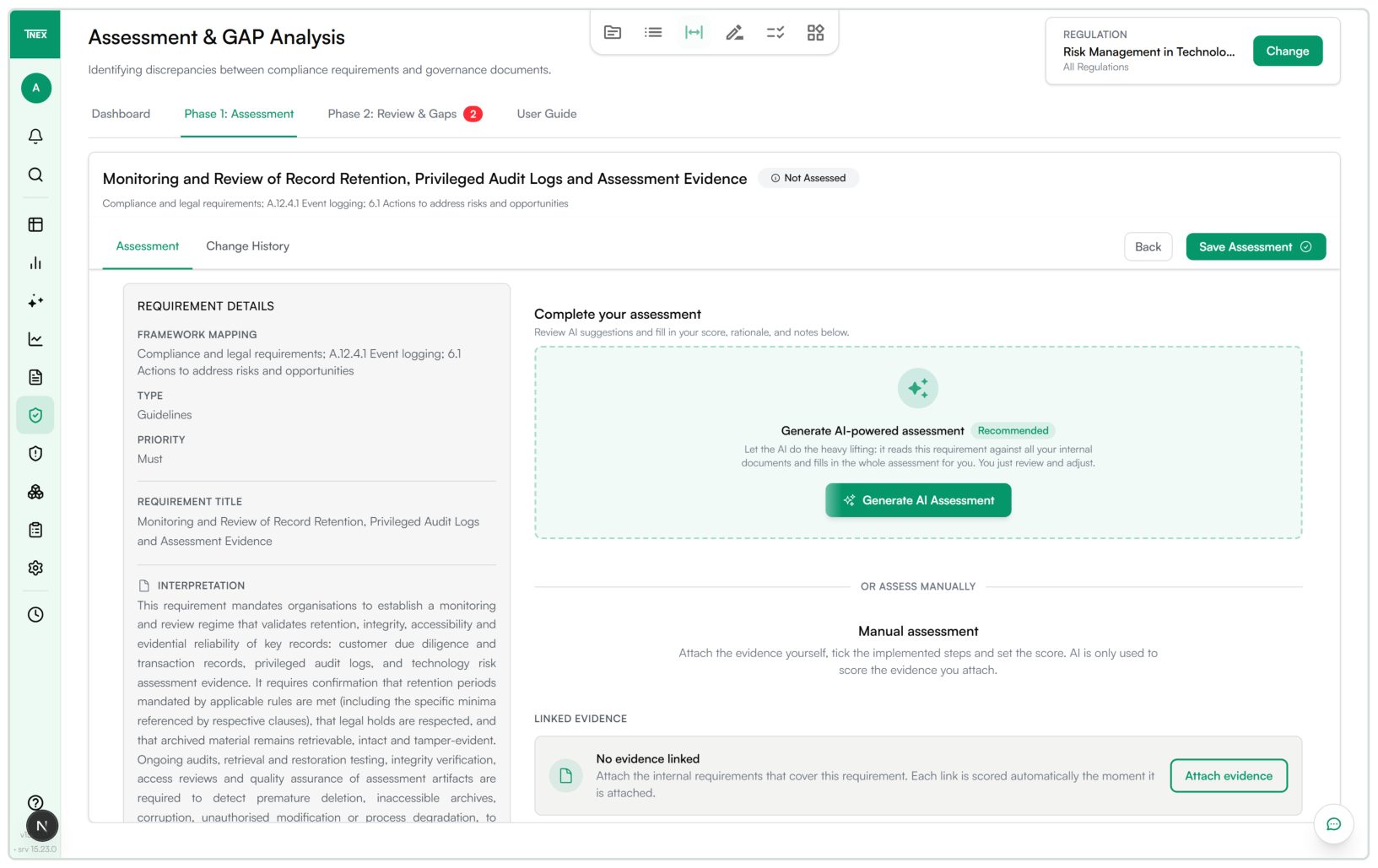
From uploading a regulation to issuing an audit report: T-NEX Compliance connects requirements, assessment, remediation and progress monitoring.
Learn moreWith AI PoC Speedboats, T-NEX evaluates a limited AI use case: criteria agreed before starting, checks against examples and a decision on the next step.
Explore serviceBring a concrete task. Together, we will define what the application needs to do.
Explore the Risk Manager