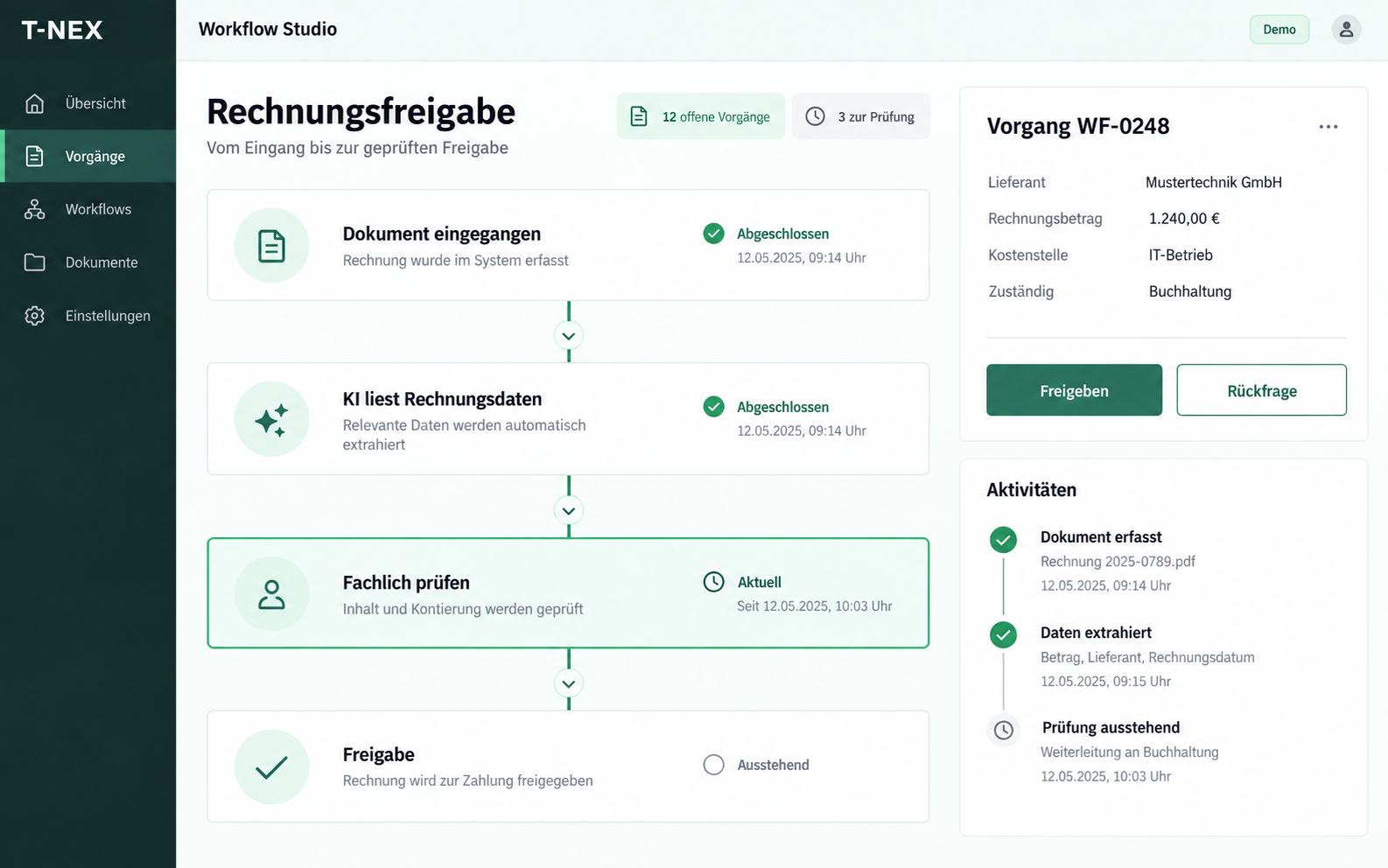
Workflow automation for companies
T-NEX develops custom workflows for requests and approvals, adapting existing components with suitable rules and evaluated AI steps.
Explore service
Digital menus, ordering and operational processing work together. Manage your offering, availability and locations centrally. The T-NEX ordering platform is configured around the processes in your kitchen, service team and administration.
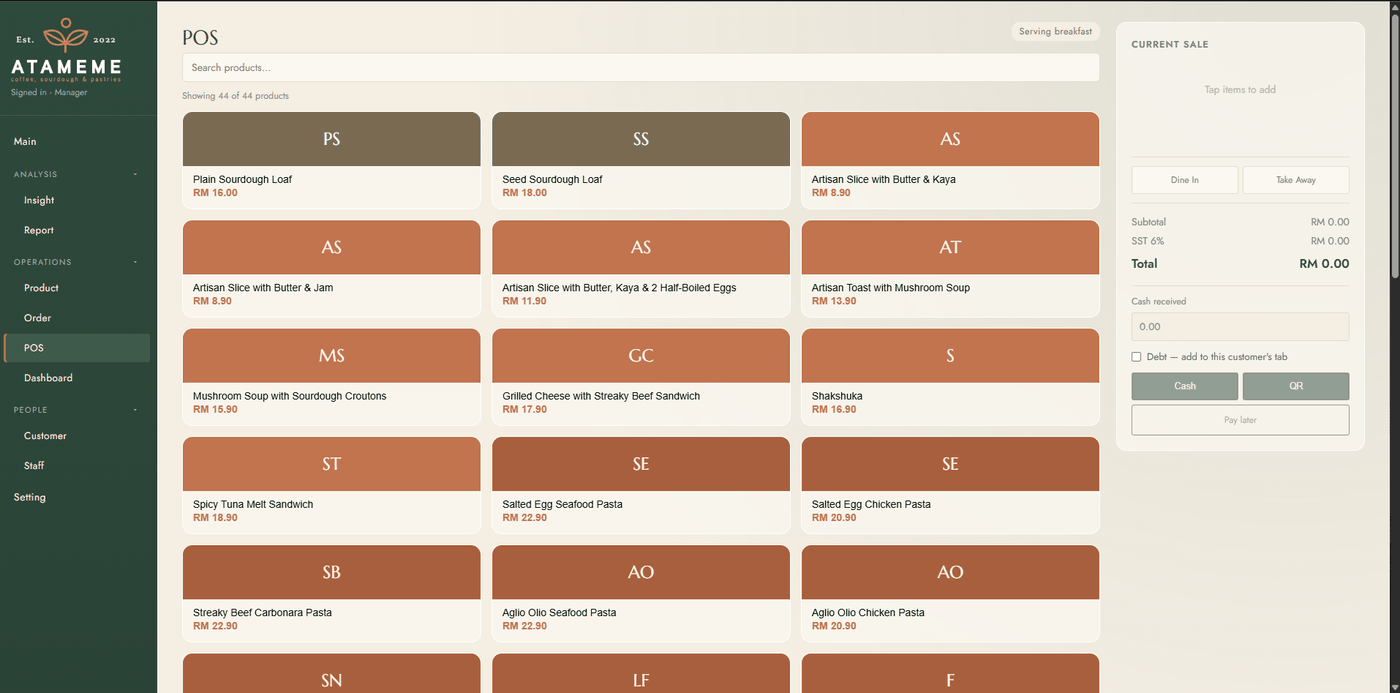
Desktop and mobile views show item selection, the till interface and the organisation of kitchen and bar.
Select items and the order type at the till. The order and payment area are available in the same view to complete the transaction.
Prepare the order for payment
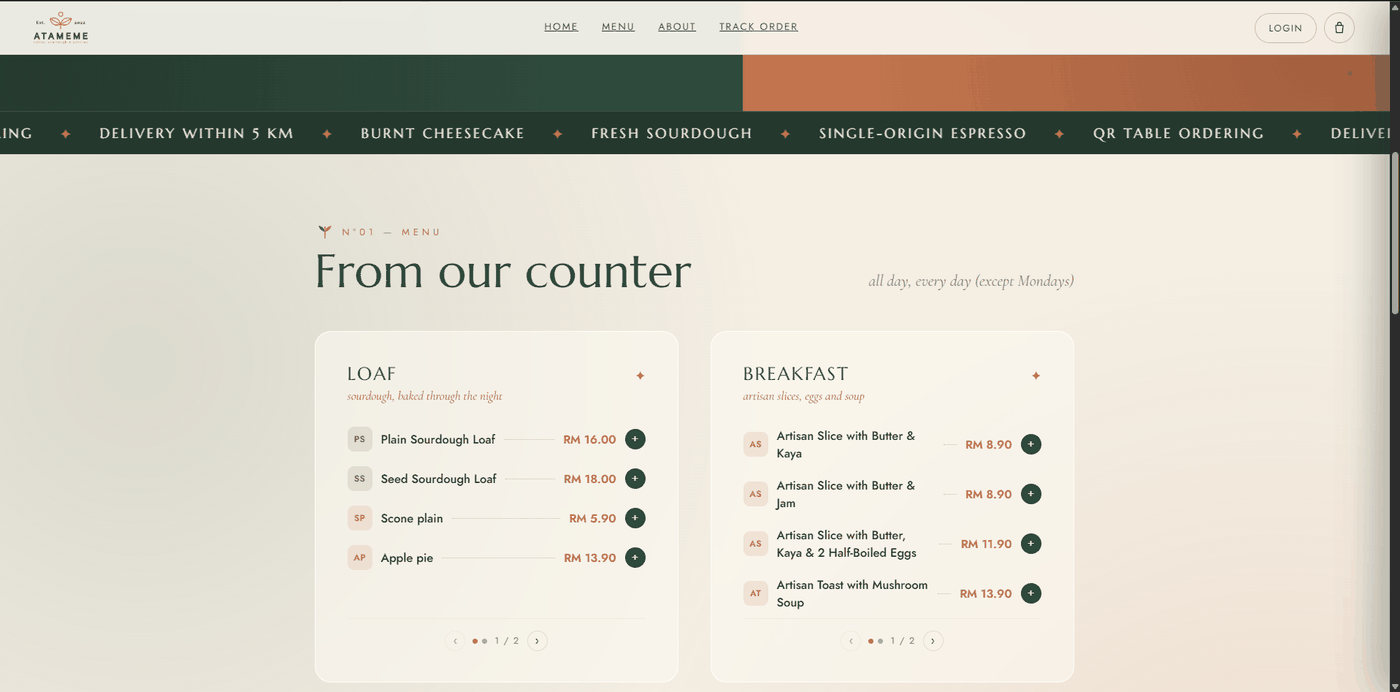
Enlarge viewThe digital menu connects categories, descriptions and prices. Guests select items directly from the menu.
Selection for the cart
 Enlarge view
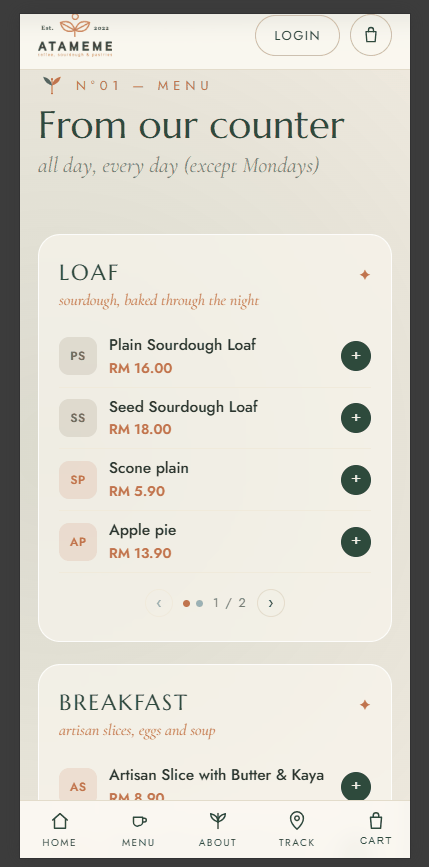
The same task is adapted to a narrow mobile view. Categories and item selection remain accessible on a phone.
Select items for an order
 Enlarge view
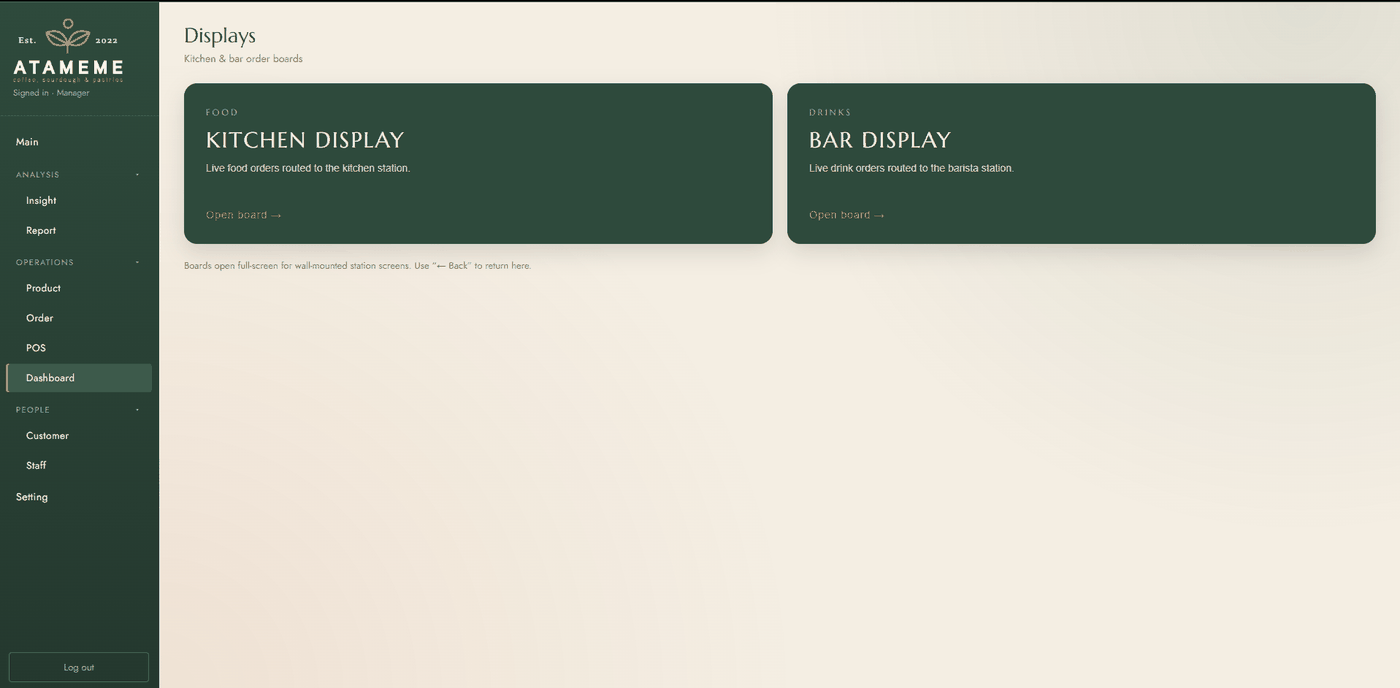
Kitchen and bar have separate entry points to their station views. The screenshot shows this selection, not the open order boards.
Entry to the appropriate station board
 Enlarge view
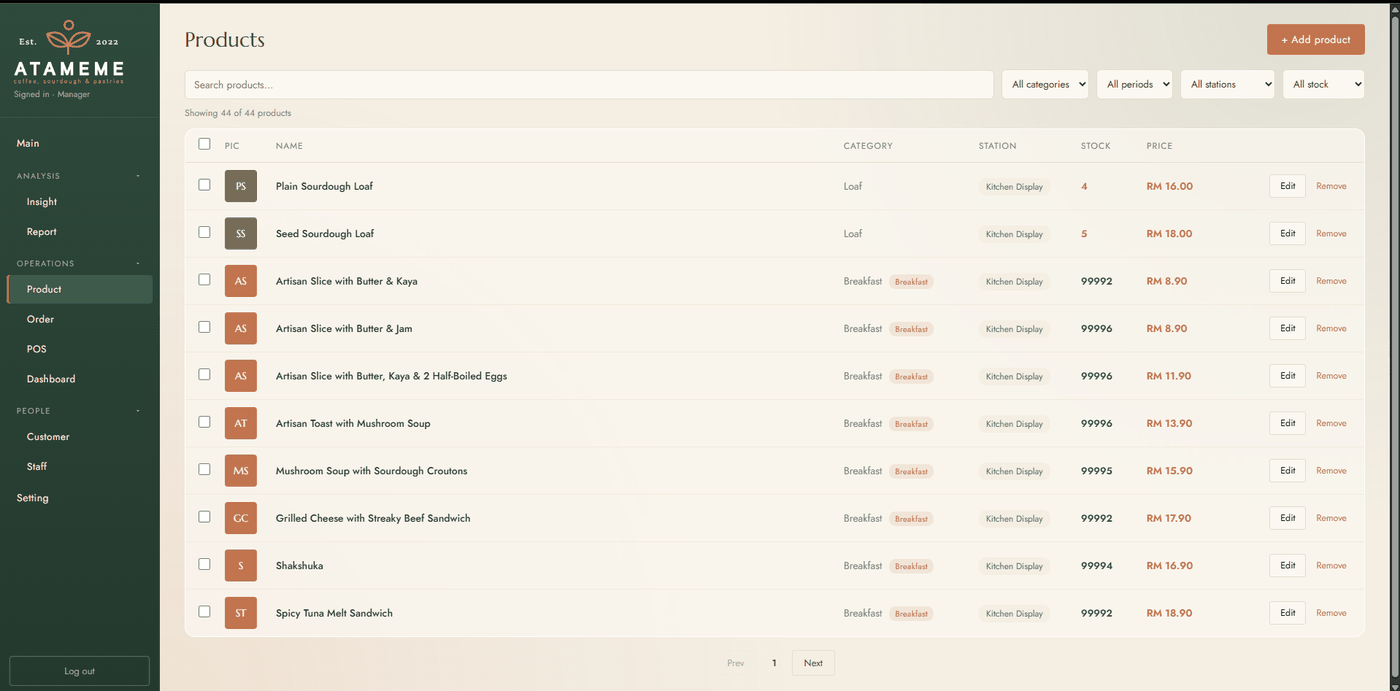
Product maintenance shows category, station, stock and price together, giving menu updates a shared maintenance point.
Maintained items for ordering and station views
 Enlarge view
For hospitality businesses with digital ordering, several preparation stations or multiple locations.
The T-NEX ordering platform takes guests from the menu through the cart to their order. Products are organised by category with images and availability. Depending on the setup, guests select a location and fulfilment method such as collection or dining in.
Staff maintain the menu and availability in the administration area. Time-specific menus and sold-out labels can reflect the actual service. The ordering journey is configured around the location’s offering and operating process.
For table service, orders can be placed through a table QR code. Opening the code passes the table context into ordering. The documented feature set includes renewable table codes and a shared queue for orders from different channels.
Kitchen and bar displays route line items to the responsible stations. Notes for each item remain visible during preparation. Status changes guide the order from intake through fulfilment, giving staff a shared working view.
Locations can have their own weekly opening hours and a separate online-ordering switch. A location can remain open while online ordering is paused. Staff access and operational views can be scoped to the relevant location.
implementations hold stock by location and deduct sales from available quantities. A movement history records changes, while a cross-location view supports administration. The stock units and adjustment procedures needed by your business are defined before introduction.
Product images, categories, availability and featured items can be maintained through the interface. Depending on the configured scope, this can include fulfilment methods, stations, tables and scheduled discount rules. Routine operational changes can therefore be handled by administrators.
Roles determine who can edit the catalogue, handle orders or view reports. The platform is configured for the agreed operating model. A feature documented in one implementation is not automatically included in every package.
| Area | Typical content |
|---|---|
| Guests | Menu, cart, fulfilment method and order status |
| Service, kitchen and bar | Order queue, line items, notes and station status |
| Administration | Catalogue, availability, locations, roles and reporting |
Reporting can show order volumes, sales trends and best-selling items over a selected period. Location views support comparison across sites. Teams can review when order volumes are highest and which items are most frequently requested.
A customer area or loyalty programme can be included in an appropriate scope. Access methods, required customer data and content maintenance are specified separately. Orders should be attributable reliably without collecting unnecessary data for the ordering task.
Introduction defines the actual path from ordering to receipt of payment. This includes payment methods, allocation to an order and the handling of failed payments or payments awaiting review. Existing till systems and payment services are considered in that design.
This product page describes ordering and operational management. It does not promise certification as a German fiscal cash register or an existing TSE integration. Ordering scope can be planned separately; till functions require a specific review for the country of operation.
A guest orders a meal and a drink. The ordering platform connects product selection, station routing and progress. Payment processing and till requirements are agreed separately for each operation.
Guest
The guest selects a meal, a drink and options from the available catalogue.
Review: Check the order type, options and basket before submitting.
Result: An order with the required details.
Ordering platform and team
The order is assigned to the selected outlet and its configured workflow. Staff work from a shared order record.
Review: Account for availability, opening hours and whether online ordering is enabled.
Result: An order ready for the team to process.
Station routing
The meal appears in the kitchen’s work area and the drink in the bar’s work area. Both items remain part of the same order.
Review: Catalogue routing must match the stations that handle each item.
Result: Each station can see the items it needs to prepare.
Kitchen and bar
Teams prepare their items and advance the order through the configured status sequence.
Review: Check that the order is complete before handing it over.
Result: A shared progress record for preparation and collection.
Service or collection team
The prepared order is handed over. Staff check payment status through the separately agreed payment workflow.
Review: Match the order to the recipient; preparation status alone does not confirm payment.
Result: A handed-over order with traceable progress.
Guest, kitchen, bar and service are connected through a single order. Station routing makes clear where each item is prepared.
This example illustrates order coordination. It does not establish approval as a German till system, a TSE integration or support for a particular payment provider. Exact statuses and available components are agreed for each deployment.
For businesses that want to combine menus, ordering and fulfilment in their own interface. Recurring ordering workflows, several preparation stations or multiple locations are especially relevant. Scope is adapted to the actual service.
Table-specific QR ordering is part of the documented feature set. Table mapping, code renewal and handover to the kitchen or bar are configured for the location.
Yes. Opening hours and online-ordering status are separate settings. A location can continue serving guests on site while controlling online intake independently.
Yes. Staff with the appropriate permissions can maintain the catalogue, images and availability. The introduction scope specifies which additional operating rules can be managed directly.
Replacement is not assumed. Ordering, payment processing and the till system are considered separately during design and connected as appropriate. A binding fiscal till solution requires review of the actual requirements.
T-NEX develops custom workflows for requests and approvals, adapting existing components with suitable rules and evaluated AI steps.
Explore serviceT-NEX develops business applications and extends existing systems, from clickable prototypes and integrations to agreed handover and support.
Explore serviceT-NEX software projects: explore manufacturing software, mobile job recording, project planning and other applications for daily work.
Learn moreBring a concrete task. Together, we will define what the application needs to do.
Discuss your ordering workflow